Mostrando las entradas con la etiqueta Web Storage. Mostrar todas las entradas

lunes, 29 de febrero de 2016

El Libro del Día: Client-Side Data Storage

El Libro del Día: 2016-02-29

Titulo: Client-Side Data Storage
Autor: Raymond Camden
Editorial: O'Reilly
Nro Paginas: 118

Capítulos:
1. A Gentle Introduction to Client-Side Data Storage
2. Working with Cookies
3. Working with Web Storage
4. Working with IndexedDB
5. Working with Web SQL
6. Making It Easier with Libraries
7. Building a Sample Application

Descarga:
Client_Side_Data_Storage

miércoles, 19 de noviembre de 2014

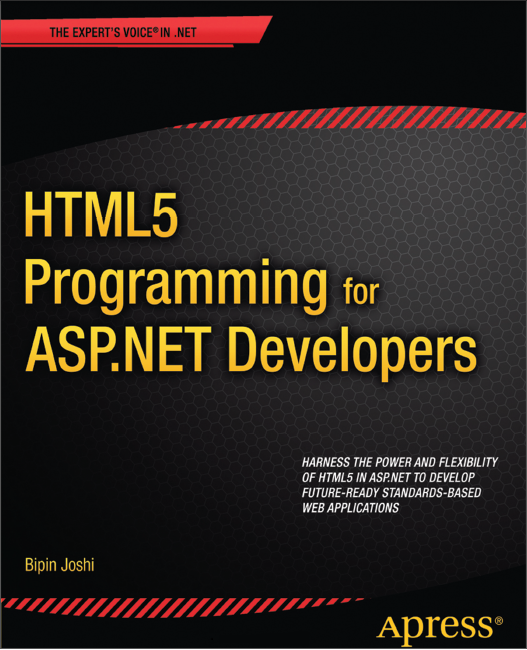
El Libro del Día: HTML5 Programming for ASP.NET Developers

El Libro del Día: 2014-11-19

Titulo: HTML5 Programming for ASP.NET Developers
Autor: Bipin Joshi
Editorial: Apress
Nro Paginas: 379

Capítulos:
Chapter 1: Overview of HTML5 and ASP.NET 4.5
Chapter 2: Overview of jQuery
Chapter 3: Working with Audio and Video
Chapter 4: Drawing with the Canvas
Chapter 5: Working with Forms and Controls
Chapter 6: Using History API and Custom Data Attributes
Chapter 7: Storing Data in Web Storage
Chapter 8: Developing Offline Web Applications
Chapter 9: Dealing with Local Files Using the File API
Chapter 10: Multithreading in Web Pages Using Web Workers
Chapter 11: Using the Communication API and Web Sockets
Chapter 12: Finding Location with the Geolocation API
Chapter 13: Styling Web Forms and Views with CSS3
Appendix A: HTML5 Learning Resources

Descarga:
HTML5_Programming_ASPNET_Developers

martes, 8 de julio de 2014

El Libro del Día: HTML5 and CSS3 Second Edition

El Libro del Día: 2014-07-08

Titulo: HTML5 and CSS3 Second Edition
Autor: Brian P. Hogan
Editorial: The Pragmatic Programmers
Nro Paginas: 303

Capítulos:
1. An Overview of HTML5 and CSS3
    1.1 A Stronger Platform for Web Development
    1.2 The Road to the Future Is Bumpy
Part I — Improving User Interfaces
2. New Structural Tags and Attributes
    Tip 1. Redefining a Blog Using Semantic Markup
    Tip 2. Showing Progress toward a Goal with the <meter> Element
    Tip 3. Creating Pop-Up Windows with Custom Data Attributes
    Tip 4. Defining an FAQ with a Description List
3. Creating User-Friendly Web Forms
    Tip 5. Describing Data with New Input Fields
    Tip 6. Jumping to the First Field with Autofocus
    Tip 7. Providing Hints with Placeholder Text
    Tip 8. Validating User Input without JavaScript
    Tip 9. In-Place Editing with contenteditable
4. Styling Content and Interfaces
    Tip 10. Styling Tables with Pseudoclasses
    Tip 11. Making Links Printable with :after and content
    Tip 12. Building Mobile Interfaces with Media Queries
    Tip 13. Creating Multicolumn Layouts
5. Making Accessible Interfaces
    Tip 14. Providing Navigation Hints with ARIA Roles
    Tip 15. Creating an Accessible Updatable Region
    Tip 16. Improving Table Accessibility
Part II — New Sights and Sounds
6. Drawing in the Browser
    Tip 17. Drawing a Logo on the Canvas
    Tip 18. Graphing Statistics with RGraph
    Tip 19. Creating Vector Graphics with SVG
7. Embedding Audio and Video
    Tip 20. Working with Audio
    Tip 21. Embedding Video
    Tip 22. Making Videos Accessible
8. Eye Candy
    Tip 23. Rounding Rough Edges
    Tip 24. Working with Shadows, Gradients, and Transformations
    Tip 25. Working with Fonts
    Tip 26. Making Things Move with Transitions and Animations
Part III — Beyond Markup
9. Saving Data on the Client
    Tip 27. Saving Preferences with Web Storage
    Tip 28. Storing Data in a Client-Side Database Using IndexedDB
    Tip 29. Working Offline
10. Creating Interactive Web Applications
    Tip 30. Preserving History
    Tip 31. Talking across Domains
    Tip 32. Chatting with Web Sockets
    Tip 33. Finding Yourself: Geolocation
    Tip 34. Getting It All Sorted Out with Drag and Drop
11. Where to Go Next
    11.1 Defining Layouts with the Flexible Box Model
    11.2 Cross-Origin Resource Sharing
    11.3 Web Workers
    11.4 Server-Sent Events
    11.5 Filter Effects
    11.6 WebGL
    11.7 Onward!
A1. Features Quick Reference
    A1.1 New Elements
    A1.2 Attributes
    A1.3 Forms
    A1.4 Form-Field Attributes
    A1.5 Accessibility
    A1.6 Multimedia
    A1.7 CSS3
    A1.8 Client-Side Storage
    A1.9 Additional APIs
A2. jQuery Primer
    A2.1 Loading jQuery
    A2.2 jQuery Basics
    A2.3 Methods to Modify Content
    A2.4 Creating and Removing Elements
    A2.5 Events
    A2.6 Document Ready
    A2.7 Use jQuery Wisely
A3. Encoding Audio and Video for the Web
    A3.1 Encoding Audio
    A3.2 Encoding Video

Descarga:
HTML5_CSS3_SecondEdition

viernes, 4 de julio de 2014

El Libro del Día: Jump Start HTML5

El Libro del Día: 2014-07-04

Titulo: Jump Start HTML5
Autor: Tiffany B Brown, Kerry Butters, Sandeep Panda
Editorial: Sitepoint
Nro Paginas: 313

Capítulos:
1. Basics: What is HTML5?
2. Basics: The Anatomy of HTML5
3. Basics: Structuring Documents
4. Basics: HTML5 Forms
5. Basics: Multimedia, Audio and Video
6. Multimedia: Preparing Your Media
7. Multimedia: Using Native HTML5 Audio
8. Multimedia: Using Native HTML5 Video
9. Multimedia: The source Element
10. Mutimedia: The track Element
11. Multimedia: Scripting Media Players
12. Canvas & SVG: An Introduction to Canvas
13. Canvas & SVG: Canvas Basics
14. Canvas & SVG: Handling Non-supporting Browsers
15. Canvas & SVG: Canvas Gradients
16. Canvas & SVG: Canvas Images and Videos
17. Canvas & SVG: An Introduction to SVG
18. Canvas & SVG: Using SVG
19. Canvas & SVG: SVG Bézier Curves
20. Canvas & SVG: SVG Filter Effects
21. Canvas & SVG: Canvas or SVG?
22. Offline Apps: Detecting When the User Is Connected
23. Offline Apps: Application Cache
24. Offline Apps: Web Storage
25. Offline Apps: Storing Data With Client-side Databases
26. APIs: Overview
27. APIs: Web Workers
28. APIs: The Geolocation API
29. APIs: Server Sent Events
30. APIs: The WebSocket API
31. APIs: The Cross-document Messaging API

Descarga:
Jump_Start_HTML5

viernes, 20 de junio de 2014

El Libro del Día: HTML5 for .NET Developers

El Libro del Día: 2014-06-20

Titulo: HTML5 for .NET Developers
Autor: Jim Jackson II, Ian Gilman
Editorial: Manning
Nro Paginas: 416

Capítulos:
1 HTML5 and .NET
2 A markup primer: classic HTML, semantic HTML, and CSS
3 Audio and video controls
4 Canvas
5 The History API: Changing the game for MVC sites
6 Geolocation and web mapping
7 Web workers and drag and drop
8 Websockets
9 Local storage and state management
10 Offline web applications

Descarga:
HTML5_ForNET_Developers

lunes, 9 de junio de 2014

El Libro del Día: Pro HTML5 Programming

El Libro del Día: 2014-06-09

Titulo: Pro HTML5 Programming
Autor: Peter Lubbers, Brian Albers, Frank Salim
Editorial: Apress
Nro Paginas: 305

Capítulos:
Chapter 1: Overview of HTML5
Chapter 2: Using the HTML5 Canvas API
Chapter 3: Working with HTML5 Audio and Video
Chapter 4: Using the HTML5 Geolocation API
Chapter 5: Using the Communication APIs
Chapter 6: Using the HTML5 WebSocket API
Chapter 7: Using the HTML5 Forms API
Chapter 8: Using the HTML5 Web Workers API
Chapter 9: Using the HTML5 Web Storage API
Chapter 10: Creating HTML5 Offline Web Applications
Chapter 11: The Future of HTML5

Descarga:
ProHTML5_Programming