El Libro del Día: 2016-10-06
Titulo: Effective C# (2nd Edition)
Autor: Bill Wagner
Editorial: Addison-Wesley
Nro Paginas: 343
Capítulos:
Chapter 1 C# Language Idioms
- Item 1: Use Properties Instead of Accessible Data Members
- Item 2: Prefer readonly to const
- Item 3: Prefer the is or as Operators to Casts
- Item 4: Use Conditional Attributes Instead of #if
- Item 5: Always Provide ToString()
- Item 6: Understand the Relationships Among the Many Different Concepts of Equality
- Item 7: Understand the Pitfalls of GetHashCode()
- Item 8: Prefer Query Syntax to Loops
- Item 9: Avoid Conversion Operators in Your APIs
- Item 10: Use Optional Parameters to Minimize Method Overloads
- Item 11: Understand the Attraction of Small Functions
Chapter 2 .NET Resource Management
- Item 12: Prefer Member Initializers to Assignment Statements
- Item 13: Use Proper Initialization for Static Class Members
- Item 14: Minimize Duplicate Initialization Logic
- Item 15: Utilize using and try/finally for Resource Cleanup
- Item 16: Avoid Creating Unnecessary Objects
- Item 17: Implement the Standard Dispose Pattern
- Item 18: Distinguish Between Value Types and Reference Types
- Item 19: Ensure That 0 Is a Valid State for Value Types
- Item 20: Prefer Immutable Atomic Value Types
Chapter 3 Expressing Designs in C#
- Item 21: Limit Visibility of Your Types
- Item 22: Prefer Defining and Implementing Interfaces to Inheritance
- Item 23: Understand How Interface Methods Differ from Virtual Methods
- Item 24: Express Callbacks with Delegates
- Item 25: Implement the Event Pattern for Notifications
- Item 26: Avoid Returning References to Internal Class Objects
- Item 27: Prefer Making Your Types Serializable
- Item 28: Create Large-Grain Internet Service APIs
- Item 29: Support Generic Covariance and Contravariance
Chapter 4 Working with the Framework
- Item 30: Prefer Overrides to Event Handlers
- Item 31: Implement Ordering Relations with IComparable<T> and IComparer<T>
- Item 32: Avoid ICloneable
- Item 33: Use the new Modifier Only to React to Base Class Updates
- Item 34: Avoid Overloading Methods Defined in Base Classes
- Item 35: Learn How PLINQ Implements Parallel Algorithms
- Item 36: Understand How to Use PLINQ for I/O Bound Operations
- Item 37: Construct Parallel Algorithms with Exceptions in Mind
Chapter 5 Dynamic Programming in C#
- Item 38: Understand the Pros and Cons of Dynamic
- Item 39: Use Dynamic to Leverage the Runtime Type of Generic Type Parameters
- Item 40: Use Dynamic for Parameters That Receive Anonymous Types
- Item 41: Use DynamicObject or IDynamicMetaObjectProvider for Data Driven Dynamic Types
- Item 42: Understand How to Make Use of the Expression API
- Item 43: Use Expressions to Transform Late Binding into Early Binding
- Item 44: Minimize Dynamic Objects in Public APIs
Chapter 6 Miscellaneous
- Item 45: Minimize Boxing and Unboxing
- Item 46: Create Complete Application-Specific Exception Classes
- Item 47: Prefer the Strong Exception Guarantee
- Item 48: Prefer Safe Code
- Item 49: Prefer CLS-Compliant Assemblies
- Item 50: Prefer Smaller, Cohesive Assemblies
Descarga:
Effective_C#_2nd_Edition
Blog de Luis Dueñas dedicado a la difusión del Desarrollo en Microsoft .NET, Visual Studio, WinForms, WebForms, MVC, ASP .NET, jQuery, AJAX, HTML5, JavaScript, Móviles, etc. Encontrarás Libros, Demos, Artículos Técnicos, Entrenamiento.
Mostrando las entradas con la etiqueta Properties. Mostrar todas las entradas
jueves, 6 de octubre de 2016
El Libro del Día: Effective C# (2nd Edition)
Etiquetas:
.NET,
Addison-Wesley,
APIs,
Bill Wagner,
Boxing,
CallBacks,
Delegates,
Dynamic,
Effective C#,
Equality,
GetHashCode,
Interfaces,
Libros,
Operators,
Ordering,
PLINQ,
Properties,
Resources,
Serializable,
Types
martes, 1 de marzo de 2016
El Libro del Día: Going GAS
El Libro del Día: 2016-03-01
Titulo: Going GAS
Autor: Bruce Mcpherson
Editorial: O'Reilly
Nro Paginas: 455
Capítulos:
1. Introduction
2. Language Basics
3. Translating VBA Functions
4. Living with the Quotas
5. The Properties Service
6. The Spreadsheet Service
7. The Document App
8. Gmail, Calendar, and Contacts Apps
9. Drive and DriveApp
10. HTML Service
11. Content Service
12. Charts
13. Sites
14. Advanced Google Services
15. Authentication and Security
16. External APIs and Integration
17. Execution API
18. Office Add-Ins and Google Add-Ons
Descarga:
Going_GAS
Titulo: Going GAS
Autor: Bruce Mcpherson
Editorial: O'Reilly
Nro Paginas: 455
Capítulos:
1. Introduction
2. Language Basics
3. Translating VBA Functions
4. Living with the Quotas
5. The Properties Service
6. The Spreadsheet Service
7. The Document App
8. Gmail, Calendar, and Contacts Apps
9. Drive and DriveApp
10. HTML Service
11. Content Service
12. Charts
13. Sites
14. Advanced Google Services
15. Authentication and Security
16. External APIs and Integration
17. Execution API
18. Office Add-Ins and Google Add-Ons
Descarga:
Going_GAS
Etiquetas:
APIs,
Apps,
Bruce Mcpherson,
Calendar,
Charts,
Contacts,
Document App,
Drive,
DriveApp,
Functions,
GAS,
Gmail,
Language,
Libros,
O'Reilly,
Properties,
Quotas,
Service,
Spreadsheet,
VBA
miércoles, 2 de septiembre de 2015
El Libro del Día: Transforms in CSS
El Libro del Día: 2015-09-02
Titulo: Transforms in CSS
Autor: Eric A. Meyer
Editorial: O'Reilly
Nro Paginas: 52
Capítulos:
1. Coordinate Systems
2. Transforming
2.1. The Transform Functions
3. More Transform Properties
3.1. Moving the Origin
3.2. Choosing a 3D Style
3.3. Changing Perspective
3.4. Dealing with Backfaces
Descarga:
Transforms_in_CSS
Titulo: Transforms in CSS
Autor: Eric A. Meyer
Editorial: O'Reilly
Nro Paginas: 52
Capítulos:
1. Coordinate Systems
2. Transforming
2.1. The Transform Functions
3. More Transform Properties
3.1. Moving the Origin
3.2. Choosing a 3D Style
3.3. Changing Perspective
3.4. Dealing with Backfaces
Descarga:
Transforms_in_CSS
Etiquetas:
3D Style,
Backfaces,
Coordinate,
CSS,
Eric A. Meyer,
Functions,
Libros,
O'Reilly,
Origin,
Perspective,
Properties,
Systems,
Transforms
jueves, 21 de mayo de 2015
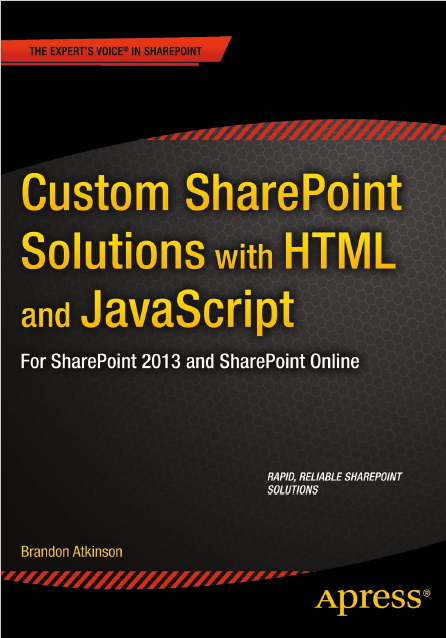
El Libro del Día: Custom SharePoint Solutions with HTML and JavaScript
El Libro del Día: 2015-05-21
Titulo: Custom SharePoint Solutions with HTML and JavaScript
Autor: Brandon Atkinson
Editorial: Apress
Nro Paginas: 240
Capítulos:
Chapter 1: Setting Up Your Environment
Chapter 2: Introduction to SharePoint Front-End Solutions
Chapter 3: Content Editor and Script Editor Web Parts
Chapter 4: Building Custom Web Parts Using HTML and JavaScript
Chapter 5: Using JSLink to Style List Web Parts
Chapter 6: Content Search Web Part and Display Templates
Chapter 7: Working with SharePoint’s Built-in JavaScript Functions and Properties
Chapter 8: Working with the JavaScript Object Model
Chapter 9: Working with the REST API
Descarga:
Custom_SharePoint_Solutions_HTML_JavaScript
Titulo: Custom SharePoint Solutions with HTML and JavaScript
Autor: Brandon Atkinson
Editorial: Apress
Nro Paginas: 240
Capítulos:
Chapter 1: Setting Up Your Environment
Chapter 2: Introduction to SharePoint Front-End Solutions
Chapter 3: Content Editor and Script Editor Web Parts
Chapter 4: Building Custom Web Parts Using HTML and JavaScript
Chapter 5: Using JSLink to Style List Web Parts
Chapter 6: Content Search Web Part and Display Templates
Chapter 7: Working with SharePoint’s Built-in JavaScript Functions and Properties
Chapter 8: Working with the JavaScript Object Model
Chapter 9: Working with the REST API
Descarga:
Custom_SharePoint_Solutions_HTML_JavaScript
Etiquetas:
Apress,
Brandon Atkinson,
Content Editor,
Content Search,
Environment,
Frontend,
Functions,
HTML,
Javascript,
JOM,
JSLink,
Libros,
Properties,
REST API,
Script Editor,
SharePoint,
Solutions,
Templates,
Web Parts
sábado, 15 de noviembre de 2014
El Libro del Día: XAML Developer Reference
El Libro del Día: 2014-11-15
Titulo: XAML Developer Reference
Autor: Mamta Dalal, Ashish Ghoda
Editorial: Microsoft
Nro Paginas: 342
Capítulos:
Part I XAML Basics
Chapter 1 Introducing XAML
Chapter 2 Object Elements and Attributes
Chapter 3 XAML Properties and Events
Part II Enhancing User Experience
Chapter 4 Markup Extensions and Other Features
Chapter 5 Resources, Styles, and Triggers
Part III XAML User Interface Controls
Chapter 6 Layout and Positioning System
Chapter 7 Form and Functional Controls
Part IV Content Integration and Animation
Chapter 8 Data Binding
Chapter 9 Media, Graphics, and Animation
Part V Appendixes
Appendix A Major Namespaces and Classes
Appendix B XAML Editors and Tools
Descarga:
XAML_Developer_Reference
Titulo: XAML Developer Reference
Autor: Mamta Dalal, Ashish Ghoda
Editorial: Microsoft
Nro Paginas: 342
Capítulos:
Part I XAML Basics
Chapter 1 Introducing XAML
Chapter 2 Object Elements and Attributes
Chapter 3 XAML Properties and Events
Part II Enhancing User Experience
Chapter 4 Markup Extensions and Other Features
Chapter 5 Resources, Styles, and Triggers
Part III XAML User Interface Controls
Chapter 6 Layout and Positioning System
Chapter 7 Form and Functional Controls
Part IV Content Integration and Animation
Chapter 8 Data Binding
Chapter 9 Media, Graphics, and Animation
Part V Appendixes
Appendix A Major Namespaces and Classes
Appendix B XAML Editors and Tools
Descarga:
XAML_Developer_Reference
Etiquetas:
Animation,
Ashish Ghoda,
Attributes,
Data Binding,
Elements,
Events,
Extensions,
Graphics,
Layout,
Libros,
Mamta Dalal,
Media,
Microsoft,
Properties,
Reference,
Resources,
Styles,
Tools,
Triggers,
XAML
miércoles, 27 de agosto de 2014
El Libro del Día: Expert C# 5.0
El Libro del Día: 2014-08-27
Titulo: Expert C# 5.0
Autor: Mohammad Rahman
Editorial: Apress
Nro Paginas: 609
Capítulos:
Chapter 1: Reintroducing C#:-A Detailed Look at the Language We All Know
Chapter 2: C# Objects in Memory
Chapter 3: Parameters
Chapter 4: Methods
Chapter 5: Automatic Property Declaration
Chapter 6: Enum
Chapter 7: Delegate
Chapter 8: Event
Chapter 9: Foreach and Iterator
Chapter 10: The String Data Type
Chapter 11: Collections Explained
Chapter 12: Linq in C#
Chapter 13: Exception Management
Chapter 14: Asynchrony
Chapter 15: Diagnostic Tools in .NET
Descarga:
Expert_C#_5.0
Titulo: Expert C# 5.0
Autor: Mohammad Rahman
Editorial: Apress
Nro Paginas: 609
Capítulos:
Chapter 1: Reintroducing C#:-A Detailed Look at the Language We All Know
Chapter 2: C# Objects in Memory
Chapter 3: Parameters
Chapter 4: Methods
Chapter 5: Automatic Property Declaration
Chapter 6: Enum
Chapter 7: Delegate
Chapter 8: Event
Chapter 9: Foreach and Iterator
Chapter 10: The String Data Type
Chapter 11: Collections Explained
Chapter 12: Linq in C#
Chapter 13: Exception Management
Chapter 14: Asynchrony
Chapter 15: Diagnostic Tools in .NET
Descarga:
Expert_C#_5.0
Etiquetas:
Apress,
Asynchronous,
C#,
Collections,
Delegates,
Diagnostic Tools,
Enums,
Events,
Exceptions,
Foreach,
Iterators,
Language,
Libros,
LINQ,
Methods,
Mohammad Rahman,
Objects,
Parameters,
Properties,
String
lunes, 25 de agosto de 2014
El Libro del Día: A Programmer's Guide to C# 5.0
El Libro del Día: 2014-08-25
Titulo: A Programmer's Guide to C# 5.0 (4th Edition)
Autor: Eric Gunnerson, Nick Wienholt
Editorial: Apress
Nro Paginas: 443
Capítulos:
Chapter 1: C# and the .NET Runtime and Libraries
Chapter 2: C# QuickStart and Developing in C#
Chapter 3: Classes 101
Chapter 4: Base Classes and Inheritance
Chapter 5: Exception Handling
Chapter 6: Member Accessibility and Overloading
Chapter 7: Other Class Details
Chapter 8: Structs (Value Types)
Chapter 9: Interfaces
Chapter 10: Versioning and Aliases
Chapter 11: Statements and Flow of Execution
Chapter 12: Variable Scoping and Definite Assignment
Chapter 13: Operators and Expressions
Chapter 14: Conversions
Chapter 15: Arrays
Chapter 16: Properties
Chapter 17: Generic Types
Chapter 18: Indexers, Enumerators, and Iterators
Chapter 19: Strings
Chapter 20: Enumerations
Chapter 21: Attributes
Chapter 22: Delegates, Anonymous Methods, and Lambdas
Chapter 23: Events
Chapter 24: Dynamic Typing
Chapter 25: User-Defined Conversions
Chapter 26: Operator Overloading
Chapter 27: Nullable Types
Chapter 28: Linq to Objects
Chapter 29: Linq to XML
Chapter 30: Linq to SQL
Chapter 31: Other Language Details
Chapter 32: Making Friends with the .NET Framework
Chapter 33: System.Array and the Collection Classes
Chapter 34: Threading
Chapter 35: Asynchronous and Parallel Programming
Chapter 36: Execution-Time Code Generation
Chapter 37: Interop
Chapter 38: .NET Base Class Library Overview
Chapter 39: Deeper into C#
Chapter 40: Logging and Debugging Techniques
Chapter 41: IDEs and Utilities
Descarga:
A_Programmers_Guide_C#_5.0
Titulo: A Programmer's Guide to C# 5.0 (4th Edition)
Autor: Eric Gunnerson, Nick Wienholt
Editorial: Apress
Nro Paginas: 443
Capítulos:
Chapter 1: C# and the .NET Runtime and Libraries
Chapter 2: C# QuickStart and Developing in C#
Chapter 3: Classes 101
Chapter 4: Base Classes and Inheritance
Chapter 5: Exception Handling
Chapter 6: Member Accessibility and Overloading
Chapter 7: Other Class Details
Chapter 8: Structs (Value Types)
Chapter 9: Interfaces
Chapter 10: Versioning and Aliases
Chapter 11: Statements and Flow of Execution
Chapter 12: Variable Scoping and Definite Assignment
Chapter 13: Operators and Expressions
Chapter 14: Conversions
Chapter 15: Arrays
Chapter 16: Properties
Chapter 17: Generic Types
Chapter 18: Indexers, Enumerators, and Iterators
Chapter 19: Strings
Chapter 20: Enumerations
Chapter 21: Attributes
Chapter 22: Delegates, Anonymous Methods, and Lambdas
Chapter 23: Events
Chapter 24: Dynamic Typing
Chapter 25: User-Defined Conversions
Chapter 26: Operator Overloading
Chapter 27: Nullable Types
Chapter 28: Linq to Objects
Chapter 29: Linq to XML
Chapter 30: Linq to SQL
Chapter 31: Other Language Details
Chapter 32: Making Friends with the .NET Framework
Chapter 33: System.Array and the Collection Classes
Chapter 34: Threading
Chapter 35: Asynchronous and Parallel Programming
Chapter 36: Execution-Time Code Generation
Chapter 37: Interop
Chapter 38: .NET Base Class Library Overview
Chapter 39: Deeper into C#
Chapter 40: Logging and Debugging Techniques
Chapter 41: IDEs and Utilities
Descarga:
A_Programmers_Guide_C#_5.0
Etiquetas:
Apress,
Arrays,
Attributes,
C#,
Classes,
Conversions,
Delegates,
Enumerations,
Eric Gunnerson,
Expressions,
Inheritance,
Interfaces,
Libros,
LINQ,
Nick Wienholt,
Operators,
Overloading,
Properties,
Structs,
Versioning
martes, 15 de julio de 2014
El Demo del Día: Visor de Objetos con Reflection (NET Object Viewer)
Visor de Objetos con Reflection (NET Object Viewer)
Requerimientos
- Se desea ver los tipos que hay dentro de un ensamblado .NET: interfaces, enumeraciones, clases, etc.
- Se desea listar las propiedades de un tipo.
- Se desea listar los métodos de un tipo.
- Se desea ver los parámetros de un método.
- Se desea abrir dinámicamente un formulario pasando como parámetro su nombre.
- Se desea ejecutar cualquier método pasando los valores de sus parámetros, incluyendo métodos sobrecargados (varios con el mismo nombre pero con diferentes parámetros).
Solución
Usar Reflection para obtener información del Ensamblado, sus Tipos y miembros, también para crear instancias de objetos en forma dinámica y ejecutar cualquier método.
A continuación les detallo el código de un Utilitario que he creado hace varios años pero que lo he mejorado para probar los métodos sobre cargados y para pasar parámetros.
Crear la Aplicación Windows Forms en C#
Crear un proyecto Windows Forms en C# llamado: "NetObjectViewer" y agregar una clase llamada "Rutinas" para poder probar sus métodos mediante el visor.
using System;
using System.Windows.Forms;
namespace NetObjectViewer
{
public class Rutinas
{
public void mostrarMensaje()
{
MessageBox.Show("Hola que tal");
}
public void mostrarMensaje(string nombre)
{
MessageBox.Show("Hola que tal " + nombre);
}
public void mostrarMensaje(string nombre,string apellido)
{
MessageBox.Show("Hola que tal " + nombre + " " + apellido);
}
public int sumaEnteros(int x, int y)
{
return (x+y);
}
public int sumaEnteros(int x, int y,int z)
{
return (x + y +z);
}
public decimal sumaDecimal(decimal x, decimal y)
{
return (x + y);
}
public decimal sumaDecimal(decimal x, decimal y, decimal z)
{
return (x + y + z);
}
}
}
Crear el Formulario con el Visor de Objetos
Cambiar el nombre del formulario a "frmVisor" y realizar el diseño tal como se muestra a continuación.
Escribir el siguiente código en el formulario:
using System;
using System.Text; //StringBuilder
using System.Drawing;
using System.Collections.Generic; //List
using System.Reflection; //Assembly, Type, PropertyInfo, MethodInfo
using System.Windows.Forms;
namespace NetObjectViewer
{
public partial class frmVisor : Form
{
private Assembly oEnsamblado;
private Type[] oTipos;
public frmVisor()
{
InitializeComponent();
}
private void configurarGrilla(object sender, EventArgs e)
{
DataGridViewTextBoxColumn col1=new DataGridViewTextBoxColumn();
col1.Width=100;
col1.ReadOnly = true;
dgvParametro.Columns.Add(col1);
DataGridViewTextBoxColumn col2 = new DataGridViewTextBoxColumn();
col2.Width = 80;
dgvParametro.Columns.Add(col2);
}
private void abrirEnsamblado_ListarTipos(object sender, EventArgs e)
{
OpenFileDialog ofd = new OpenFileDialog();
ofd.Title = "Selecciona Archivo exe o dll de .NET";
ofd.Filter = "Archivos ensamblados .NET|*.exe;*.dll";
if (ofd.ShowDialog().Equals(DialogResult.OK))
{
txtEnsamblado.Text = ofd.FileName;
try
{
oEnsamblado = Assembly.LoadFrom(ofd.FileName);
//Limpiar las listas
dgvParametro.Rows.Clear();
lstMetodo.Items.Clear();
lstPropiedad.Items.Clear();
lstTipo.Items.Clear();
//Listar los tipos
oTipos = oEnsamblado.GetTypes();
lstTipo.BeginUpdate();
foreach (Type oTipo in oTipos)
{
lstTipo.Items.Add(oTipo.Name);
}
lstTipo.EndUpdate();
}
catch (Exception ex)
{
MessageBox.Show(ex.Message);
}
}
}
private void listarMiembros(object sender, EventArgs e)
{
Type oTipo = oTipos[lstTipo.SelectedIndex];
//Limpiar las listas
dgvParametro.Rows.Clear();
lstMetodo.Items.Clear();
lstPropiedad.Items.Clear();
//Listar las propiedades
PropertyInfo[] oPropiedades = oTipo.GetProperties();
lstPropiedad.BeginUpdate();
foreach (PropertyInfo oPropiedad in oPropiedades)
{
lstPropiedad.Items.Add(oPropiedad.Name);
}
lstPropiedad.EndUpdate();
//Listar los metodos
MethodInfo[] oMetodos = oTipo.GetMethods();
lstMetodo.BeginUpdate();
StringBuilder sb=new StringBuilder();
ParameterInfo[] oParametros;
foreach (MethodInfo oMetodo in oMetodos)
{
sb.Clear();
sb.Append(oMetodo.Name);
sb.Append("(");
oParametros = oMetodo.GetParameters();
for (int i = 0; i < oParametros.Length; i++)
{
sb.Append(oParametros[i].ParameterType.Name);
if (i < oParametros.Length-1) sb.Append(",");
}
sb.Append(")");
lstMetodo.Items.Add(sb.ToString());
}
lstMetodo.EndUpdate();
}
private MethodInfo obtenerMetodo()
{
MethodInfo oMetodo = null;
string firmaMetodo = lstMetodo.Text;
int posInicio = firmaMetodo.IndexOf("(");
int posFin = firmaMetodo.Length - 1;
string nombreMetodo = firmaMetodo.Substring(0, posInicio);
string tipos = firmaMetodo.Substring(posInicio + 1, posFin - posInicio - 1);
Type[] oPars = null;
if (tipos.Length.Equals(0)) oPars = new Type[0] { };
else
{
string[] entradas = tipos.Split(',');
List<Type> listaPars = new List<Type>();
for (int i = 0; i < entradas.Length; i++)
{
listaPars.Add(Type.GetType("System." + entradas[i]));
}
oPars = listaPars.ToArray();
}
Type oTipo = oTipos[lstTipo.SelectedIndex];
oMetodo= oTipo.GetMethod(nombreMetodo, oPars);
return (oMetodo);
}
private void listarParametros(object sender, EventArgs e)
{
if (lstMetodo.SelectedIndex > -1)
{
MethodInfo oMetodo = obtenerMetodo();
if (oMetodo != null)
{
ParameterInfo[] oParametros = oMetodo.GetParameters();
dgvParametro.Rows.Clear();
dgvParametro.RowCount = oParametros.Length;
for (int i = 0; i < oParametros.Length; i++)
{
dgvParametro.Rows[i].Cells[0].Value = oParametros[i].Name;
}
}
}
else MessageBox.Show("Selecciona el método a ver sus parámetros");
}
private void abrirFormulario(object sender, EventArgs e)
{
if (lstTipo.SelectedIndex > -1)
{
Type oTipo = oTipos[lstTipo.SelectedIndex];
if (oTipo.BaseType.Name.Equals("Form"))
{
object obj = Activator.CreateInstance(oTipo);
if (obj != null)
{
Form frm = (Form)obj;
frm.ShowDialog();
}
}
else MessageBox.Show("El tipo seleccionado No es un formulario");
}
else MessageBox.Show("Selecciona el formulario a abrir");
}
private void ejecutarMetodo(object sender, EventArgs e)
{
if (lstMetodo.SelectedIndex > -1)
{
MethodInfo oMetodo = obtenerMetodo();
if (oMetodo != null)
{
object[] pars = null;
ParameterInfo[] oParametros = oMetodo.GetParameters();
if (oParametros.Length > 0)
{
List<object> listaPars = new List<object>();
Type tipo=null;
object valor=null;
for (int i = 0; i < oParametros.Length; i++)
{
tipo = oParametros[i].ParameterType;
valor=dgvParametro.Rows[i].Cells[1].Value;
if (valor != null) listaPars.Add(Convert.ChangeType(valor, tipo));
else listaPars.Add(valor);
}
pars = listaPars.ToArray();
}
Type oTipo = oTipos[lstTipo.SelectedIndex];
object obj = Activator.CreateInstance(oTipo);
if (obj != null)
{
object rpta = oMetodo.Invoke(obj, pars);
if (rpta != null) MessageBox.Show(rpta.ToString());
}
}
}
else MessageBox.Show("Selecciona el método a ejecutar");
}
}
}
Nota: El método controlador: "configurarGrilla"esta asociado al evento "Load" del formulario.
Ejecutar y Probar el Formulario Creado
Grabar la aplicación, compilar y ejecutar. En el evento load se crean las 2 columnas de la grilla de parámetros del método seleccionado.
Seleccionar un ensamblado, por ejemplo el propio ejecutable: "NetObjectViewer.exe" y luego seleccionar un tipo, por ejemplo el propio formulario.
Estando seleccionado el formulario "frmVisor" clic al botón "Abrir Formulario" y este se mostrará como un diálogo.
Seleccionar la clase "Rutinas" y luego seleccionar cualquier método, observar que aparece la grilla mostrando sus parámetros. Probar primero las funciones que no retornan valores y luego las que retornan valores, dando clic al botón "Ejecutar Método".
Si no se llenan los valores de los parámetros, por defecto es nulo, pero igual devuelve un resultado, ahora probar pasar parámetros escribiendo directamente sobre la segunda columna de la grilla y dando Enter para configurar el valor del parámetro. Luego clic al botón "Ejecutar Método" y ver el resultado con parámetros.
Nota: Si se selecciona un método que tiene parámetros de tipo objeto, la aplicación se caerá, falta controlar los parámetros de tipo objetos.
Comentario Final
En esta demostración hemos visto "Reflection" en acción para inspeccionar cualquier ensamblado (exe o dll) creado en .NET, listando algunos miembros como propiedades y métodos, también hemos creado dinámicamente objetos y ejecutado métodos, inclusive sobrecargados. Espero les guste y comenten.
Descarga
Demo11_NetObjectViewer
Requerimientos
- Se desea ver los tipos que hay dentro de un ensamblado .NET: interfaces, enumeraciones, clases, etc.
- Se desea listar las propiedades de un tipo.
- Se desea listar los métodos de un tipo.
- Se desea ver los parámetros de un método.
- Se desea abrir dinámicamente un formulario pasando como parámetro su nombre.
- Se desea ejecutar cualquier método pasando los valores de sus parámetros, incluyendo métodos sobrecargados (varios con el mismo nombre pero con diferentes parámetros).
Solución
Usar Reflection para obtener información del Ensamblado, sus Tipos y miembros, también para crear instancias de objetos en forma dinámica y ejecutar cualquier método.
A continuación les detallo el código de un Utilitario que he creado hace varios años pero que lo he mejorado para probar los métodos sobre cargados y para pasar parámetros.
Crear la Aplicación Windows Forms en C#
Crear un proyecto Windows Forms en C# llamado: "NetObjectViewer" y agregar una clase llamada "Rutinas" para poder probar sus métodos mediante el visor.
using System;
using System.Windows.Forms;
namespace NetObjectViewer
{
public class Rutinas
{
public void mostrarMensaje()
{
MessageBox.Show("Hola que tal");
}
public void mostrarMensaje(string nombre)
{
MessageBox.Show("Hola que tal " + nombre);
}
public void mostrarMensaje(string nombre,string apellido)
{
MessageBox.Show("Hola que tal " + nombre + " " + apellido);
}
public int sumaEnteros(int x, int y)
{
return (x+y);
}
public int sumaEnteros(int x, int y,int z)
{
return (x + y +z);
}
public decimal sumaDecimal(decimal x, decimal y)
{
return (x + y);
}
public decimal sumaDecimal(decimal x, decimal y, decimal z)
{
return (x + y + z);
}
}
}
Cambiar el nombre del formulario a "frmVisor" y realizar el diseño tal como se muestra a continuación.
Escribir el siguiente código en el formulario:
using System;
using System.Text; //StringBuilder
using System.Drawing;
using System.Collections.Generic; //List
using System.Reflection; //Assembly, Type, PropertyInfo, MethodInfo
using System.Windows.Forms;
namespace NetObjectViewer
{
public partial class frmVisor : Form
{
private Assembly oEnsamblado;
private Type[] oTipos;
public frmVisor()
{
InitializeComponent();
}
private void configurarGrilla(object sender, EventArgs e)
{
DataGridViewTextBoxColumn col1=new DataGridViewTextBoxColumn();
col1.Width=100;
col1.ReadOnly = true;
dgvParametro.Columns.Add(col1);
DataGridViewTextBoxColumn col2 = new DataGridViewTextBoxColumn();
col2.Width = 80;
dgvParametro.Columns.Add(col2);
}
private void abrirEnsamblado_ListarTipos(object sender, EventArgs e)
{
OpenFileDialog ofd = new OpenFileDialog();
ofd.Title = "Selecciona Archivo exe o dll de .NET";
ofd.Filter = "Archivos ensamblados .NET|*.exe;*.dll";
if (ofd.ShowDialog().Equals(DialogResult.OK))
{
txtEnsamblado.Text = ofd.FileName;
try
{
oEnsamblado = Assembly.LoadFrom(ofd.FileName);
//Limpiar las listas
dgvParametro.Rows.Clear();
lstMetodo.Items.Clear();
lstPropiedad.Items.Clear();
lstTipo.Items.Clear();
//Listar los tipos
oTipos = oEnsamblado.GetTypes();
lstTipo.BeginUpdate();
foreach (Type oTipo in oTipos)
{
lstTipo.Items.Add(oTipo.Name);
}
lstTipo.EndUpdate();
}
catch (Exception ex)
{
MessageBox.Show(ex.Message);
}
}
}
private void listarMiembros(object sender, EventArgs e)
{
Type oTipo = oTipos[lstTipo.SelectedIndex];
//Limpiar las listas
dgvParametro.Rows.Clear();
lstMetodo.Items.Clear();
lstPropiedad.Items.Clear();
//Listar las propiedades
PropertyInfo[] oPropiedades = oTipo.GetProperties();
lstPropiedad.BeginUpdate();
foreach (PropertyInfo oPropiedad in oPropiedades)
{
lstPropiedad.Items.Add(oPropiedad.Name);
}
lstPropiedad.EndUpdate();
//Listar los metodos
MethodInfo[] oMetodos = oTipo.GetMethods();
lstMetodo.BeginUpdate();
StringBuilder sb=new StringBuilder();
ParameterInfo[] oParametros;
foreach (MethodInfo oMetodo in oMetodos)
{
sb.Clear();
sb.Append(oMetodo.Name);
sb.Append("(");
oParametros = oMetodo.GetParameters();
for (int i = 0; i < oParametros.Length; i++)
{
sb.Append(oParametros[i].ParameterType.Name);
if (i < oParametros.Length-1) sb.Append(",");
}
sb.Append(")");
lstMetodo.Items.Add(sb.ToString());
}
lstMetodo.EndUpdate();
}
private MethodInfo obtenerMetodo()
{
MethodInfo oMetodo = null;
string firmaMetodo = lstMetodo.Text;
int posInicio = firmaMetodo.IndexOf("(");
int posFin = firmaMetodo.Length - 1;
string nombreMetodo = firmaMetodo.Substring(0, posInicio);
string tipos = firmaMetodo.Substring(posInicio + 1, posFin - posInicio - 1);
Type[] oPars = null;
if (tipos.Length.Equals(0)) oPars = new Type[0] { };
else
{
string[] entradas = tipos.Split(',');
List<Type> listaPars = new List<Type>();
for (int i = 0; i < entradas.Length; i++)
{
listaPars.Add(Type.GetType("System." + entradas[i]));
}
oPars = listaPars.ToArray();
}
Type oTipo = oTipos[lstTipo.SelectedIndex];
oMetodo= oTipo.GetMethod(nombreMetodo, oPars);
return (oMetodo);
}
private void listarParametros(object sender, EventArgs e)
{
if (lstMetodo.SelectedIndex > -1)
{
MethodInfo oMetodo = obtenerMetodo();
if (oMetodo != null)
{
ParameterInfo[] oParametros = oMetodo.GetParameters();
dgvParametro.Rows.Clear();
dgvParametro.RowCount = oParametros.Length;
for (int i = 0; i < oParametros.Length; i++)
{
dgvParametro.Rows[i].Cells[0].Value = oParametros[i].Name;
}
}
}
else MessageBox.Show("Selecciona el método a ver sus parámetros");
}
private void abrirFormulario(object sender, EventArgs e)
{
if (lstTipo.SelectedIndex > -1)
{
Type oTipo = oTipos[lstTipo.SelectedIndex];
if (oTipo.BaseType.Name.Equals("Form"))
{
object obj = Activator.CreateInstance(oTipo);
if (obj != null)
{
Form frm = (Form)obj;
frm.ShowDialog();
}
}
else MessageBox.Show("El tipo seleccionado No es un formulario");
}
else MessageBox.Show("Selecciona el formulario a abrir");
}
private void ejecutarMetodo(object sender, EventArgs e)
{
if (lstMetodo.SelectedIndex > -1)
{
MethodInfo oMetodo = obtenerMetodo();
if (oMetodo != null)
{
object[] pars = null;
ParameterInfo[] oParametros = oMetodo.GetParameters();
if (oParametros.Length > 0)
{
List<object> listaPars = new List<object>();
Type tipo=null;
object valor=null;
for (int i = 0; i < oParametros.Length; i++)
{
tipo = oParametros[i].ParameterType;
valor=dgvParametro.Rows[i].Cells[1].Value;
if (valor != null) listaPars.Add(Convert.ChangeType(valor, tipo));
else listaPars.Add(valor);
}
pars = listaPars.ToArray();
}
Type oTipo = oTipos[lstTipo.SelectedIndex];
object obj = Activator.CreateInstance(oTipo);
if (obj != null)
{
object rpta = oMetodo.Invoke(obj, pars);
if (rpta != null) MessageBox.Show(rpta.ToString());
}
}
}
else MessageBox.Show("Selecciona el método a ejecutar");
}
}
}
Nota: El método controlador: "configurarGrilla"esta asociado al evento "Load" del formulario.
Ejecutar y Probar el Formulario Creado
Grabar la aplicación, compilar y ejecutar. En el evento load se crean las 2 columnas de la grilla de parámetros del método seleccionado.
Seleccionar un ensamblado, por ejemplo el propio ejecutable: "NetObjectViewer.exe" y luego seleccionar un tipo, por ejemplo el propio formulario.
Estando seleccionado el formulario "frmVisor" clic al botón "Abrir Formulario" y este se mostrará como un diálogo.
Seleccionar la clase "Rutinas" y luego seleccionar cualquier método, observar que aparece la grilla mostrando sus parámetros. Probar primero las funciones que no retornan valores y luego las que retornan valores, dando clic al botón "Ejecutar Método".
Si no se llenan los valores de los parámetros, por defecto es nulo, pero igual devuelve un resultado, ahora probar pasar parámetros escribiendo directamente sobre la segunda columna de la grilla y dando Enter para configurar el valor del parámetro. Luego clic al botón "Ejecutar Método" y ver el resultado con parámetros.
Nota: Si se selecciona un método que tiene parámetros de tipo objeto, la aplicación se caerá, falta controlar los parámetros de tipo objetos.
Comentario Final
En esta demostración hemos visto "Reflection" en acción para inspeccionar cualquier ensamblado (exe o dll) creado en .NET, listando algunos miembros como propiedades y métodos, también hemos creado dinámicamente objetos y ejecutado métodos, inclusive sobrecargados. Espero les guste y comenten.
Descarga
Demo11_NetObjectViewer
Etiquetas:
Assembly,
C#,
DataGridView,
Demos,
Invoke,
Lduenas,
Methods,
NET Object Viewer,
Properties,
Reflection,
Types,
Visor Objetos,
WinForms
Suscribirse a:
Entradas (Atom)