El Libro del Día: 2016-03-29
Titulo: ASP.NET jQuery Cookbook (2nd Edition)
Autor: Sonal Aneel Allana
Editorial: Packt
Nro Paginas: 478
Capítulos:
Chapter 1: Getting Started with jQuery in ASP.NET
Chapter 2: Using jQuery Selectors with ASP.NET Controls
Chapter 3: Event Handling Using jQuery
Chapter 4: DOM Traversal and Manipulation in ASP.NET
Chapter 5: Visual Effects in ASP.NET Sites
Chapter 6: Working with Graphics in ASP.NET Sites
Chapter 7: Ajax Using jQuery
Chapter 8: Creating and Using jQuery Plugins
Descarga:
ASP.NET_jQuery_Cookbook_2nd_Edition
Blog de Luis Dueñas dedicado a la difusión del Desarrollo en Microsoft .NET, Visual Studio, WinForms, WebForms, MVC, ASP .NET, jQuery, AJAX, HTML5, JavaScript, Móviles, etc. Encontrarás Libros, Demos, Artículos Técnicos, Entrenamiento.
Mostrando las entradas con la etiqueta Graphics. Mostrar todas las entradas
martes, 29 de marzo de 2016
El Libro del Día: ASP.NET jQuery Cookbook (2nd Edition)
Etiquetas:
.NET,
AJAX,
ASP.NET,
Controls,
Cookbook,
DOM,
Effects,
Event Handling,
Graphics,
Javascript,
jQuery,
Libros,
Manipulation,
Microsoft,
Packt,
Plugins,
Selectors,
Sites,
Sonal Aneel Allana,
Visual
jueves, 21 de enero de 2016
El Libro del Día: Xamarin Studio for Android Programming
El Libro del Día: 2016-01-21
Titulo: Xamarin Studio for Android Programming
Autor: Mathieu Nayrolles
Editorial: Packt
Nro Paginas: 298
Capítulos:
Chapter 1: Getting Started
Chapter 2: Mastering the Life and Death of Android Apps
Chapter 3: Building a GUI
Chapter 4: Using Android Resources
Chapter 5: Using On-Phone Data
Chapter 6: Populating Your GUI with Data
Chapter 7: Using Android Services
Chapter 8: Mastering Intents – A Walkthrough
Chapter 9: Playing with Advanced Graphics
Chapter 10: Taking Advantage of the Android Platform
Chapter 11: Using Hardware Interactions
Chapter 12: Debugging and Testing
Chapter 13: Monetizing and Publishing Your Applications
Appendix: Mono – The Underlying Technology
Descarga:
Xamarin_Studio_for_Android_Programming
Titulo: Xamarin Studio for Android Programming
Autor: Mathieu Nayrolles
Editorial: Packt
Nro Paginas: 298
Capítulos:
Chapter 1: Getting Started
Chapter 2: Mastering the Life and Death of Android Apps
Chapter 3: Building a GUI
Chapter 4: Using Android Resources
Chapter 5: Using On-Phone Data
Chapter 6: Populating Your GUI with Data
Chapter 7: Using Android Services
Chapter 8: Mastering Intents – A Walkthrough
Chapter 9: Playing with Advanced Graphics
Chapter 10: Taking Advantage of the Android Platform
Chapter 11: Using Hardware Interactions
Chapter 12: Debugging and Testing
Chapter 13: Monetizing and Publishing Your Applications
Appendix: Mono – The Underlying Technology
Descarga:
Xamarin_Studio_for_Android_Programming
Etiquetas:
Android,
Apps,
Data,
Debugging,
Graphics,
GUI,
Interactions,
Libros,
Mathieu Nayrolles,
Monetizing,
Mono,
Packt,
Platform,
Programming,
Publishing,
Resources,
Services,
Studio,
Testing,
Xamarin
martes, 19 de enero de 2016
El Libro del Día: Learning iOS UI Development
El Libro del Día: 2016-01-19
Titulo: Learning iOS UI Development
Autor: Yari D'areglia
Editorial: Packt
Nro Paginas: 196
Capítulos:
Chapter 1: UI Fundamentals
Chapter 2: UI Components Overview – UIKit
Chapter 3: Interface Builder, XIB, and Storyboard
Chapter 4: Auto Layout
Chapter 5: Adaptive User Interfaces
Chapter 6: Layers and Core Animation
Chapter 7: UI Interactions – Touches and Gestures
Chapter 8: How to Build Custom Controls
Chapter 9: Introduction to Core Graphics
Descarga:
Learning_iOS_UI_Development
Titulo: Learning iOS UI Development
Autor: Yari D'areglia
Editorial: Packt
Nro Paginas: 196
Capítulos:
Chapter 1: UI Fundamentals
Chapter 2: UI Components Overview – UIKit
Chapter 3: Interface Builder, XIB, and Storyboard
Chapter 4: Auto Layout
Chapter 5: Adaptive User Interfaces
Chapter 6: Layers and Core Animation
Chapter 7: UI Interactions – Touches and Gestures
Chapter 8: How to Build Custom Controls
Chapter 9: Introduction to Core Graphics
Descarga:
Learning_iOS_UI_Development
Etiquetas:
Animation,
Components,
Controls,
Development,
Fundamentals,
Gestures,
Graphics,
Interfaces,
iOS,
Layers,
Layout,
Learning,
Libros,
Packt,
Storyboard,
Touches,
UI,
UIKit,
XIB,
Yari D'areglia
martes, 24 de noviembre de 2015
El Libro del Día: PDF Explained
El Libro del Día: 2015-11-24
Titulo: PDF Explained
Autor: John Whitington
Editorial: O'Reilly
Nro Paginas: 138
Capítulos:
1. Introduction
2. Building a simple PDF
3. File Structure
4. Document Structure
5. Graphics
6. Text and Fonts
7. Document Metadata and Navigation
8. Encrypted Documents
9. Working with Pdftk
10. PDF Software and Documentation
Descarga:
PDF_Explained
Titulo: PDF Explained
Autor: John Whitington
Editorial: O'Reilly
Nro Paginas: 138
Capítulos:
1. Introduction
2. Building a simple PDF
3. File Structure
4. Document Structure
5. Graphics
6. Text and Fonts
7. Document Metadata and Navigation
8. Encrypted Documents
9. Working with Pdftk
10. PDF Software and Documentation
Descarga:
PDF_Explained
Etiquetas:
Acrobat,
Adobe,
Document,
Documentation,
Encrypted,
Explained,
File,
Fonts,
Graphics,
Introduction,
John Whitington,
Libros,
Metadata,
Navigation,
O'Reilly,
PDF,
Pdftk,
Software,
Structure,
Text
lunes, 23 de noviembre de 2015
El Libro del Día: Portable Document Format Specification 1.7
El Libro del Día: 2015-11-23
Titulo: Portable Document Format Specification 1.7
Autor: Adobe
Editorial: Adobe
Nro Paginas: 756
Capítulos:
1. Scope
2. Conformance
3. Normative references
4. Terms and definitions
5. Notation
6. Version Designations
7. Syntax
8. Graphics
9. Text
10. Rendering
11. Transparency
12. Interactive Features
13. Multimedia Features
14. Document Interchange
Descarga:
Portable_Document_Format_Specification_1.7
Titulo: Portable Document Format Specification 1.7
Autor: Adobe
Editorial: Adobe
Nro Paginas: 756
Capítulos:
1. Scope
2. Conformance
3. Normative references
4. Terms and definitions
5. Notation
6. Version Designations
7. Syntax
8. Graphics
9. Text
10. Rendering
11. Transparency
12. Interactive Features
13. Multimedia Features
14. Document Interchange
Descarga:
Portable_Document_Format_Specification_1.7
Etiquetas:
Adobe,
Conformance,
Definitions,
Designations,
Document Interchange,
Graphics,
Interactive,
Libros,
Multimedia,
Notations,
PDF,
References,
Rendering,
Scope,
Specification,
Syntax,
Terms,
Text,
Transparency
miércoles, 14 de octubre de 2015
El Libro del Día: The Responsive Web
El Libro del Día: 2015-10-14
Titulo: The Responsive Web
Autor: Matthew Carver
Editorial: Manning
Nro Paginas: 193
Capítulos:
PART 1 THE RESPONSIVE WAY
1 Learning to work responsively
2 Design for mobile first
PART 2 DESIGNING FOR THE RESPONSIVE WEB
3 Using style tiles to communicate design
4 Responsive user experience design patterns
5 Responsive layouts
6 Adding content modules and typography
PART 3 EXPANDING THE DESIGN WITH CODE
7 Adding graphics in the browser with CSS
8 Progressive enhancement and obsolescence control with Modernizr
9 Testing and optimization for responsive websites
Descarga:
The_Responsive_Web
Titulo: The Responsive Web
Autor: Matthew Carver
Editorial: Manning
Nro Paginas: 193
Capítulos:
PART 1 THE RESPONSIVE WAY
1 Learning to work responsively
2 Design for mobile first
PART 2 DESIGNING FOR THE RESPONSIVE WEB
3 Using style tiles to communicate design
4 Responsive user experience design patterns
5 Responsive layouts
6 Adding content modules and typography
PART 3 EXPANDING THE DESIGN WITH CODE
7 Adding graphics in the browser with CSS
8 Progressive enhancement and obsolescence control with Modernizr
9 Testing and optimization for responsive websites
Descarga:
The_Responsive_Web
Etiquetas:
Browser,
CSS,
Design,
Graphics,
Layouts,
Libros,
Manning,
Matthew Carver,
Mobile,
Modernizr,
Modules,
Optimization,
Patterns,
Responsive Web,
Style,
Testing,
Typography
viernes, 18 de septiembre de 2015
El Libro del Día: OpenGL Data Visualization Cookbook
El Libro del Día: 2015-09-18
Titulo: OpenGL Data Visualization Cookbook
Autor: Raymond CH Lo, William CY Lo
Editorial: Packt
Nro Paginas: 298
Capítulos:
Chapter 1: Getting Started with OpenGL
Chapter 2: OpenGL Primitives and 2D Data Visualization
Chapter 3: Interactive 3D Data Visualization
Chapter 4: Rendering 2D Images and Videos with Texture Mapping
Chapter 5: Rendering of Point Cloud Data for 3D Range sensing Cameras
Chapter 6: Rendering Stereoscopic 3D Models using OpenGL
Chapter 7: An Introduction to Realtime Graphics Rendering on a Mobile Platform using OpenGL ES 3.0
Chapter 8: Interactive Realtime Data Visualization on Mobile Devices
Chapter 9: Augmented Reality based Visualization on Mobile or Wearable Platforms
Descarga:
OpenGL_Data_Visualization_Cookbook
Titulo: OpenGL Data Visualization Cookbook
Autor: Raymond CH Lo, William CY Lo
Editorial: Packt
Nro Paginas: 298
Capítulos:
Chapter 1: Getting Started with OpenGL
Chapter 2: OpenGL Primitives and 2D Data Visualization
Chapter 3: Interactive 3D Data Visualization
Chapter 4: Rendering 2D Images and Videos with Texture Mapping
Chapter 5: Rendering of Point Cloud Data for 3D Range sensing Cameras
Chapter 6: Rendering Stereoscopic 3D Models using OpenGL
Chapter 7: An Introduction to Realtime Graphics Rendering on a Mobile Platform using OpenGL ES 3.0
Chapter 8: Interactive Realtime Data Visualization on Mobile Devices
Chapter 9: Augmented Reality based Visualization on Mobile or Wearable Platforms
Descarga:
OpenGL_Data_Visualization_Cookbook
Etiquetas:
2D,
3D,
Cameras,
Cookbook,
Data Visualization,
Graphics,
Images,
Libros,
Mapping,
Mobile,
Models,
OpenGL,
Packt,
Primitives,
Raymond CH Lo,
Realtime,
Rendering,
Texture,
Videos,
William CY Lo
viernes, 21 de agosto de 2015
El Libro del Día: Coding with JavaScript For Dummies
El Libro del Día: 2015-08-21
Titulo: Coding with JavaScript For Dummies
Autor: Chris Minnick, Eva Holland
Editorial: Wiley
Nro Paginas: 363
Capítulos:
Part I: Getting Started with JavaScript
Chapter 1: The World’s Most Misunderstood Programming Language
Chapter 2: Writing Your First JavaScript Program
Chapter 3: Working with Variables
Chapter 4: Understanding Arrays
Chapter 5: Working with Operators, Expressions, and Statements
Chapter 6: Getting into the Flow with Loops and Branches
Part II: Organizing Your JavaScript
Chapter 7: Getting Functional
Chapter 8: Making and Using Objects
Part III: JavaScript on the Web
Chapter 9: Controlling the Browser with the Window Object
Chapter 10: Manipulating Documents with the DOM
Chapter 11: Using Events in JavaScript
Chapter 12: Integrating Input and Output
Chapter 13: Working with CSS and Graphics
Part IV: Beyond the Basics
Chapter 14: Searching with Regular Expressions
Chapter 15: Understanding Callbacks and Closures
Chapter 16: Embracing AJAX and JSON
Part V: JavaScript and HTML5
Chapter 17: HTML5 APIs
Chapter 18: jQuery
Part VI: The Part of Tens
Chapter 19: Ten JavaScript Frameworks and Libraries to Learn Next
Chapter 20: Ten Common JavaScript Bugs and How to Avoid Them
Chapter 21: Ten Online Tools to Help You Write Better JavaScript
Descarga:
Coding_with_JavaScript_For_Dummies
Titulo: Coding with JavaScript For Dummies
Autor: Chris Minnick, Eva Holland
Editorial: Wiley
Nro Paginas: 363
Capítulos:
Part I: Getting Started with JavaScript
Chapter 1: The World’s Most Misunderstood Programming Language
Chapter 2: Writing Your First JavaScript Program
Chapter 3: Working with Variables
Chapter 4: Understanding Arrays
Chapter 5: Working with Operators, Expressions, and Statements
Chapter 6: Getting into the Flow with Loops and Branches
Part II: Organizing Your JavaScript
Chapter 7: Getting Functional
Chapter 8: Making and Using Objects
Part III: JavaScript on the Web
Chapter 9: Controlling the Browser with the Window Object
Chapter 10: Manipulating Documents with the DOM
Chapter 11: Using Events in JavaScript
Chapter 12: Integrating Input and Output
Chapter 13: Working with CSS and Graphics
Part IV: Beyond the Basics
Chapter 14: Searching with Regular Expressions
Chapter 15: Understanding Callbacks and Closures
Chapter 16: Embracing AJAX and JSON
Part V: JavaScript and HTML5
Chapter 17: HTML5 APIs
Chapter 18: jQuery
Part VI: The Part of Tens
Chapter 19: Ten JavaScript Frameworks and Libraries to Learn Next
Chapter 20: Ten Common JavaScript Bugs and How to Avoid Them
Chapter 21: Ten Online Tools to Help You Write Better JavaScript
Descarga:
Coding_with_JavaScript_For_Dummies
Etiquetas:
AJAX,
Arrays,
Chris Minnick,
CSS,
DOM,
Eva Holland,
Events,
Expressions,
For Dummies,
Graphics,
HTML5,
Javascript,
Libros,
Loops,
Objects,
Operators,
Statements,
Variables,
Wiley,
Window
martes, 23 de junio de 2015
El Libro del Día: Beginning Google Glass Development
El Libro del Día: 2015-06-23
Titulo: Beginning Google Glass Development
Autor: Jeff Tang
Editorial: Apress
Nro Paginas: 358
Capítulos:
Chapter 1: Getting Started
Chapter 2: Hello, Glass Your First GDK App
Chapter 3: Glass User Interface
Chapter 4: Camera and Image Processing
Chapter 5: Video: Basics and Applications
Chapter 6: Voice and Audio
Chapter 7: Networking, Bluetooth, and Social
Chapter 8: Location, Map, and Sensors
Chapter 9: Graphics, Animation, and Games
Chapter 10: The Mirror API
Descarga:
Beginning_Google_Glass_Development
Titulo: Beginning Google Glass Development
Autor: Jeff Tang
Editorial: Apress
Nro Paginas: 358
Capítulos:
Chapter 1: Getting Started
Chapter 2: Hello, Glass Your First GDK App
Chapter 3: Glass User Interface
Chapter 4: Camera and Image Processing
Chapter 5: Video: Basics and Applications
Chapter 6: Voice and Audio
Chapter 7: Networking, Bluetooth, and Social
Chapter 8: Location, Map, and Sensors
Chapter 9: Graphics, Animation, and Games
Chapter 10: The Mirror API
Descarga:
Beginning_Google_Glass_Development
Etiquetas:
Animation,
Apress,
Audio,
Beginning,
Bluetooth,
Camera,
GDK,
Google Glass,
Graphics,
Image Processing,
Jeff Tang,
Libros,
Location,
Map,
Networking,
Sensors,
Social,
UI,
Video,
Voice
martes, 24 de marzo de 2015
El Demo del Día: Graficar Datos en el Servidor en ASP.NET MVC
Graficar Datos en el Servidor en ASP.NET MVC con llamada asíncrona usando Ajax Form y Vista Parcial
Requerimiento
Se desea crear una aplicación web que permita consultar los productos por categoría y mostrar los datos mas gráficos de diferentes tipos: Barras, Columnas, Lineas y Pie, pero el requisito es que sea conectado o en línea, es decir, el filtro por categoría debe hacerse directo de la base de datos y el gráfico debe crearse dinámicamente en el servidor web.
Solución
- Crear una aplicación en ASP.NET MVC con un método de acción que se conecte a la BD para traer la lista de categorías mas los tipos de gráficos.
- Crear un formulario MVC Ajax que realice una llamada asíncrona cada vez que se selecciona una categoría que llama a una acción que haga la consulta en base de datos y que cree el gráfico dinámicamente devolviendo una vista parcial.
Crear los Procedimientos Almacenados en la Base de Datos Northwind de SQL Server
Para el ejemplo usaremos la Base de Datos Northwind de SQL Server, en la cual crearemos los siguientes Procedimiento almacenado:
Create Procedure [dbo].[uspCategoriesListar]
As
Select CategoryID,CategoryName From Categories
Go
Create Procedure [dbo].[uspProductsListarPorCategoria]
@CategoryId int
As
Select ProductID,ProductName,SupplierID,
CategoryID,UnitPrice,UnitsInStock
From Products
Where CategoryId=@CategoryId
Crear la Librería de Clases de Entidades del Negocio
Crear la librería de clases llamada: "Northwind.Librerias.EntidadesNegocio" y agregar la clase "beCategoria.cs":
namespace Northwind.Librerias.EntidadesNegocio
{
public class beCategoria
{
public int IdCategoria { get; set; }
public string Nombre { get; set; }
}
}
Agregar otra clase a la librería llamada "beProducto.cs":
namespace Northwind.Librerias.EntidadesNegocio
{
public class beProducto
{
public int IdProducto { get; set; }
public string Nombre { get; set; }
public int IdProveedor { get; set; }
public int IdCategoria { get; set; }
public decimal PrecioUnitario { get; set; }
public short Stock { get; set; }
}
}
Grabar y compilar la Librería de Entidades del Negocio.
Crear la Librería de Acceso a Datos
Crear la librería de clases llamada: "Northwind.Librerias.AccesoDatos", referenciar a la librería de clases de entidades creada anteriormente y agregar la clase "daCategoria.cs" y escribir el siguiente código:
using System;
using System.Collections.Generic; //List
using System.Data; //CommandType, CommandBehavior
using System.Data.SqlClient; //SqlConnection, SqlCommand, SqlDataReader
using Northwind.Librerias.EntidadesNegocio; //beCategoria
namespace Northwind.Librerias.AccesoDatos
{
public class daCategoria
{
public List<beCategoria> listar(SqlConnection con)
{
List<beCategoria> lbeCategoria = null;
SqlCommand cmd = new SqlCommand("uspCategoriesListar", con);
cmd.CommandType = CommandType.StoredProcedure;
SqlDataReader drd = cmd.ExecuteReader();
if (drd != null)
{
lbeCategoria = new List<beCategoria>();
beCategoria obeCategoria;
int posIdCat = drd.GetOrdinal("CategoryID");
int posNomCat = drd.GetOrdinal("CategoryName");
while (drd.Read())
{
obeCategoria = new beCategoria();
obeCategoria.IdCategoria = drd.GetInt32(posIdCat);
obeCategoria.Nombre = drd.GetString(posNomCat);
lbeCategoria.Add(obeCategoria);
}
drd.Close();
}
return (lbeCategoria);
}
}
}
Nota: El video es muy similar al código presentado en el Demo, pero la versión original era desconectada del servidor de datos y usaba una sesión, en cambio el demo es totalmente conectado, la diferencia solo es en el controller y es mínima.
Requerimiento
Se desea crear una aplicación web que permita consultar los productos por categoría y mostrar los datos mas gráficos de diferentes tipos: Barras, Columnas, Lineas y Pie, pero el requisito es que sea conectado o en línea, es decir, el filtro por categoría debe hacerse directo de la base de datos y el gráfico debe crearse dinámicamente en el servidor web.
Solución
- Crear una aplicación en ASP.NET MVC con un método de acción que se conecte a la BD para traer la lista de categorías mas los tipos de gráficos.
- Crear un formulario MVC Ajax que realice una llamada asíncrona cada vez que se selecciona una categoría que llama a una acción que haga la consulta en base de datos y que cree el gráfico dinámicamente devolviendo una vista parcial.
- Para crear los diferentes tipos de gráficos usaremos la librería System.Drawing y el gráfico lo almacenaremos en un MemoryStream, a partir del cual obtendremos su array de bytes y lo almacenaremos en un ViewBag llamado Imagen con el contenido de la imagen en formato base64.
Crear los Procedimientos Almacenados en la Base de Datos Northwind de SQL Server
Para el ejemplo usaremos la Base de Datos Northwind de SQL Server, en la cual crearemos los siguientes Procedimiento almacenado:
Create Procedure [dbo].[uspCategoriesListar]
As
Select CategoryID,CategoryName From Categories
Go
Create Procedure [dbo].[uspProductsListarPorCategoria]
@CategoryId int
As
Select ProductID,ProductName,SupplierID,
CategoryID,UnitPrice,UnitsInStock
From Products
Where CategoryId=@CategoryId
Crear la Librería de Clases de Entidades del Negocio
Crear la librería de clases llamada: "Northwind.Librerias.EntidadesNegocio" y agregar la clase "beCategoria.cs":
namespace Northwind.Librerias.EntidadesNegocio
{
public class beCategoria
{
public int IdCategoria { get; set; }
public string Nombre { get; set; }
}
}
Agregar otra clase a la librería llamada "beProducto.cs":
namespace Northwind.Librerias.EntidadesNegocio
{
public class beProducto
{
public int IdProducto { get; set; }
public string Nombre { get; set; }
public int IdProveedor { get; set; }
public int IdCategoria { get; set; }
public decimal PrecioUnitario { get; set; }
public short Stock { get; set; }
}
}
Grabar y compilar la Librería de Entidades del Negocio.
Crear la Librería de Acceso a Datos
Crear la librería de clases llamada: "Northwind.Librerias.AccesoDatos", referenciar a la librería de clases de entidades creada anteriormente y agregar la clase "daCategoria.cs" y escribir el siguiente código:
using System;
using System.Collections.Generic; //List
using System.Data; //CommandType, CommandBehavior
using System.Data.SqlClient; //SqlConnection, SqlCommand, SqlDataReader
using Northwind.Librerias.EntidadesNegocio; //beCategoria
namespace Northwind.Librerias.AccesoDatos
{
public class daCategoria
{
public List<beCategoria> listar(SqlConnection con)
{
List<beCategoria> lbeCategoria = null;
SqlCommand cmd = new SqlCommand("uspCategoriesListar", con);
cmd.CommandType = CommandType.StoredProcedure;
SqlDataReader drd = cmd.ExecuteReader();
if (drd != null)
{
lbeCategoria = new List<beCategoria>();
beCategoria obeCategoria;
int posIdCat = drd.GetOrdinal("CategoryID");
int posNomCat = drd.GetOrdinal("CategoryName");
while (drd.Read())
{
obeCategoria = new beCategoria();
obeCategoria.IdCategoria = drd.GetInt32(posIdCat);
obeCategoria.Nombre = drd.GetString(posNomCat);
lbeCategoria.Add(obeCategoria);
}
drd.Close();
}
return (lbeCategoria);
}
}
}
Agregar una nueva clase a la librería llamada "daProducto.cs" y escribir el siguiente código:
using System;
using System.Collections.Generic; //List
using System.Data; //CommandType, CommandBehavior
using System.Data.SqlClient; //SqlConnection, SqlCommand, SqlDataReader
using Northwind.Librerias.EntidadesNegocio; //beProducto
namespace Northwind.Librerias.AccesoDatos
{
public class daProducto
{
public List<beProducto> listarPorCategoria(SqlConnection con,int idCategoria)
{
List<beProducto> lbeProducto = null;
SqlCommand cmd = new SqlCommand("uspProductsListarPorCategoria", con);
cmd.CommandType = CommandType.StoredProcedure;
SqlParameter par = cmd.Parameters.Add("@CategoryId", SqlDbType.Int);
par.Direction = ParameterDirection.Input;
par.Value = idCategoria;
SqlDataReader drd = cmd.ExecuteReader(CommandBehavior.SingleResult);
if (drd != null)
{
lbeProducto = new List<beProducto>();
int posIdProducto = drd.GetOrdinal("ProductID");
int posNombre = drd.GetOrdinal("ProductName");
int posIdProveedor = drd.GetOrdinal("SupplierID");
int posIdCategoria = drd.GetOrdinal("CategoryID");
int posPrecioUnitario = drd.GetOrdinal("UnitPrice");
int posStock = drd.GetOrdinal("UnitsInStock");
beProducto obeProducto;
while (drd.Read())
{
obeProducto = new beProducto();
obeProducto.IdProducto = drd.GetInt32(posIdProducto);
obeProducto.Nombre = drd.GetString(posNombre);
obeProducto.IdProveedor = drd.GetInt32(posIdProveedor);
obeProducto.IdCategoria = drd.GetInt32(posIdCategoria);
obeProducto.PrecioUnitario = drd.GetDecimal(posPrecioUnitario);
obeProducto.Stock = drd.GetInt16(posStock);
lbeProducto.Add(obeProducto);
}
drd.Close();
}
return (lbeProducto);
}
}
}
Grabar y compilar la librería de acceso a datos creada.
Crear la Librería de Reglas del Negocio
Crear la librería de clases llamada: "Northwind.Librerias.ReglasNegocio", referenciar a la librería de clases de entidades y también a la de acceso a datos, luego agregar la clase "brCategoria.cs" y escribir el siguiente código:
using System;
using System.Data.SqlClient; //SqlConnection
using System.Collections.Generic; //List
using Northwind.Librerias.EntidadesNegocio; //beCategoria
using Northwind.Librerias.AccesoDatos; //daCategoria
namespace Northwind.Librerias.ReglasNegocio
{
public class brCategoria
{
public List<beCategoria> listar()
{
List<beCategoria> lbeCategoria = null;
string CadenaConexion = ConfigurationManager.ConnectionStrings["conNW"]
.ConnectionString;
using (SqlConnection con = new SqlConnection(CadenaConexion))
{
try
{
con.Open();
daCategoria odaCategoria = new daCategoria();
lbeCategoria = odaCategoria.listar(con);
}
catch (SqlException ex)
{
//grabarLog(ex);
}
catch (Exception ex)
{
//grabarLog(ex);
}
} //con.Close(); con.Dispose();
return (lbeCategoria);
}
}
}
Agregar una nueva clase a la librería llamada "brProducto.cs" y escribir el siguiente código:
using System;
using System.Data.SqlClient; //SqlConnection
using System.Collections.Generic; //List
using Northwind.Librerias.EntidadesNegocio; //beProducto
using Northwind.Librerias.AccesoDatos; //daProducto
namespace Northwind.Librerias.ReglasNegocio
{
public class brProducto
{
public List<beProducto> listarPorCategoria(int idCategoria)
{
List<beProducto> lbeProducto = null;
string CadenaConexion = ConfigurationManager.ConnectionStrings["conNW"]
.ConnectionString;
using (SqlConnection con = new SqlConnection(CadenaConexion))
{
try
{
con.Open();
daProducto odaProducto = new daProducto();
lbeProducto = odaProducto.listarPorCategoria(con,idCategoria);
}
catch (SqlException ex)
{
//grabarLog(ex);
}
catch (Exception ex)
{
//grabarLog(ex);
}
} //con.Close(); con.Dispose();
return (lbeProducto);
}
}
}
Nota: También es necesario hacer una referencia a la librería "System.Configuration" para leer la cadena de conexión definida en la aplicación.
Grabar la librería de reglas de negocio creada y compilarla.
Crear una Aplicación Web de ASP.NET MVC4 en C#
Seleccionar un nuevo proyecto de tipo: "Aplicación web de ASP.NET MVC4" y escribir como nombre "Demo10", luego seleccionar la opción "Vacio" y como motor de vista "Razor" y "Aceptar".
Nota: Antes de iniciar con el código hay que referenciar a las librerías creadas, sobre todo a la Regla de Negocio y las Entidades de Negocio.
Crear un Controlador para el Producto
Clic derecho a la carpeta Controllers y seleccionar "Agregar" y luego "Controlador", llamarle al archivo "ProductoController.cs" y en opciones de plantillas dejarlo en plantilla vacía (Vaciar Controlador MVC). Luego escribir el siguiente código:
using System;
using System.IO;
using System.Drawing;
using System.Drawing.Drawing2D;
using System.Drawing.Imaging;
using System.Collections.Generic;
using System.Linq;
using System.Web;
using System.Web.Mvc;
using Northwind.Librerias.EntidadesNegocio;
using Northwind.Librerias.ReglasNegocio;
namespace Demo10.Controllers
{
public class ProductoController : Controller
{
public ActionResult Lista()
{
brCategoria obrCategoria = new brCategoria();
List<beCategoria> lbeCategoria = obrCategoria.listar();
ViewBag.Categorias = lbeCategoria;
List<string> tiposGrafico = new List<string>();
tiposGrafico.Add("Barras");
tiposGrafico.Add("Columnas");
tiposGrafico.Add("Lineas");
tiposGrafico.Add("Pie");
ViewBag.TiposGrafico = tiposGrafico;
return View();
}
public PartialViewResult ConsultaGrafico(int idCategoria,string tipoGrafico)
{
brProducto obrProducto = new brProducto();
List<beProducto> lbeProducto = obrProducto.listarPorCategoria(idCategoria);
int ancho = 800;
int alto = 500;
Bitmap bmp = new Bitmap(ancho, alto);
Graphics grafico = Graphics.FromImage(bmp);
Rectangle rect = new Rectangle(0, 0, ancho, alto);
LinearGradientBrush degradado = new LinearGradientBrush
(rect, Color.Aqua, Color.Blue, LinearGradientMode.BackwardDiagonal);
grafico.FillRectangle(degradado, rect);
int x, y;
Font fuente=new Font("Arial",10);
Pen lapiz=new Pen(Brushes.Yellow,5);
StringFormat formato = new StringFormat(StringFormatFlags.DirectionVertical);
switch (tipoGrafico)
{
case "Barras":
x = 20;
y=20;
foreach(beProducto obeProducto in lbeProducto)
{
x = 20;
grafico.DrawString(obeProducto.Nombre, fuente,
Brushes.White, x, y);
x = 200;
rect = new Rectangle(x, y, obeProducto.Stock, 20);
grafico.FillRectangle(Brushes.Yellow, rect);
x = 220 + obeProducto.Stock;
grafico.DrawString(obeProducto.Stock.ToString(), fuente,
Brushes.White, x, y);
y += (int)fuente.GetHeight() + 20;
}
break;
case "Columnas":
x = 20;
y=350;
foreach(beProducto obeProducto in lbeProducto)
{
grafico.DrawString(obeProducto.Nombre, fuente,
Brushes.White, x, y, formato);
alto = 340 - obeProducto.Stock;
rect = new Rectangle(x, alto, 20, obeProducto.Stock);
grafico.FillRectangle(Brushes.Yellow, rect);
grafico.DrawString(obeProducto.Stock.ToString(), fuente,
Brushes.White, x, alto - 20);
x += 50;
}
break;
case "Lineas":
x = 20;
y=350;
for(int i=0;i<lbeProducto.Count;i++)
{
grafico.DrawString(lbeProducto[i].Nombre, fuente,
Brushes.White, x, y, formato);
if (i < lbeProducto.Count - 1)
{
grafico.DrawLine(lapiz, new Point(x, 340 - lbeProducto[i].Stock),
new Point(x + 50, 340 - lbeProducto[i + 1].Stock));
}
grafico.DrawString(lbeProducto[i].Stock.ToString(), fuente,
Brushes.White, x, 320 - lbeProducto[i].Stock);
x += 50;
}
break;
case "Pie":
decimal total = lbeProducto.Sum(obj => obj.Stock);
float anguloInicio = 00.0F;
float anguloFin;
rect = new Rectangle(100, 10, ancho-200, alto - 20);
int R, G, B;
Color color;
Random oAzar = new Random();
for (int i = 0; i < lbeProducto.Count; i++)
{
R = oAzar.Next(255);
G = oAzar.Next(255);
B = oAzar.Next(255);
color = Color.FromArgb(R, G, B);
anguloFin = (float)((lbeProducto[i].Stock * 360) / total);
grafico.FillPie(new SolidBrush(color), rect, anguloInicio, anguloFin);
anguloInicio += anguloFin;
}
break;
}
byte[] imagen=null;
using (MemoryStream ms = new MemoryStream())
{
bmp.Save(ms, ImageFormat.Png);
imagen = ms.ToArray();
}
ViewBag.Imagen = String.Format("data:image/png;base64,{0}",
Convert.ToBase64String(imagen));
return PartialView("Grafico", lbeProducto);
}
}
}
Nota: Para el gráfico de Pie se esta creando un color al azar para cada producto.
Crear una Hoja de Estilos para la Vista
Primero crear una carpeta llamada "Content", luego clic derecho "Agregar" y luego "Hoja de estilos" y como nombre llamarle "ACME.css" y escribir el siguiente código:
body {
background-color:gray;
}
.Titulo {
background-color:black;
color:white;
font-size:larger;
}
.Subtitulo {
background-color:white;
color:black;
font-size:large;
}
.AnchoTotal {
width:100%;
}
.Centrado {
text-align:center;
}
.FilaCabecera {
background-color:lightgray;
color:black;
}
.FilaDatos {
background-color:white;
color:black;
}
Crear la Vista Productos para mostrar los datos
Ir al controlador y ubicarse sobre el método "Lista" (acción), clic derecho y seleccionar "Agregar vista", desmarcar todos los check ya que es una vista sin tipo y escribir el siguiente código:
@{
Layout = null;
}
<!DOCTYPE html>
<html>
<head>
<meta name="viewport" content="width=device-width" />
<title>Lista</title>
<link href="~/Content/ACME.css" rel="stylesheet" />
</head>
<body>
<div>
@using (Ajax.BeginForm("ConsultaGrafico", "Producto",
new AjaxOptions { HttpMethod = "get", InsertionMode = InsertionMode.Replace,
UpdateTargetId = "divGrafico" }, new { id = "frmGrafico" }))
{
<table class="AnchoTotal">
<tr class="Titulo">
<td colspan="2">Gráficar Datos en el Servidor en ASP.NET MVC
con llamada asíncrona usando Ajax Form y Vista Parcial</td>
</tr>
<tr class="Subtitulo">
<td colspan="2">Consulta de Productos por Categoría</td>
</tr>
<tr>
<td style="width:40%">Seleccione la Categoría</td>
<td style="width:60%">Seleccione el Tipo de Gráfico</td>
</tr>
<tr>
<td>
@Html.DropDownList("idCategoria",
new SelectList(ViewBag.Categorias,"IdCategoria","Nombre"))
</td>
<td>
@Html.DropDownList("tipoGrafico",
new SelectList(ViewBag.TiposGrafico))
</td>
</tr>
<tr>
<td colspan="2">
<div id="divGrafico"></div>
</td>
</tr>
</table>
}
</div>
<script src="~/Scripts/jquery-1.8.2.min.js"></script>
<script src="~/Scripts/jquery.unobtrusive-ajax.min.js"></script>
<script src="~/Scripts/Rutinas.js"></script>
<script>iniciarLista();</script>
</body>
</html>
Nota: Es mejor colocar los archivos de JavaScript al final de la página para renderizar mas rápido.
Crear la Vista Parcial con la Consulta y el Gráfico a Mostrar
Ir nuevamente al controlador y ubicarse sobre el método "Lista" (acción), clic derecho y seleccionar "Agregar vista", cambiar de nombre a la vista por "Grafico", seleccionar el check "Crear como vista parcial" y escribir el siguiente código:
@using Northwind.Librerias.EntidadesNegocio
@model List<beProducto>
<table class="AnchoTotal">
<tr>
<td style="vertical-align:top">
<table class="AnchoTotal">
<tr class="FilaCabecera">
<td style="width:200px">Nombre del Producto</td>
<td style="width:10px">Stock</td>
</tr>
@foreach (beProducto obeProducto in Model)
{
<tr class="FilaDatos">
<td>@obeProducto.Nombre</td>
<td>@obeProducto.Stock</td>
</tr>
}
</table>
</td>
<td>
<img src="@ViewBag.Imagen" width="800" height="500" />
</td>
</tr>
</table>
Crear el archivo JavaScript con el código cliente
Antes que nada crear una carpeta llamada "Scripts" y arrastrar del explorador de Windows el archivo de jQuery: "jquery-1.8.2.min.js" y "jquery.unobtrusive-ajax.min.js" (necesario para el Ajax Form), luego agregar un archivo de JavaScript llamado "Rutinas.js" y escribir el siguiente código:
function iniciarLista() {
$("#frmGrafico").submit();
var cboIdCategoria = document.getElementById("idCategoria");
cboIdCategoria.onchange = function () { llamadaAsincrona(); };
var cboTipoGrafico = document.getElementById("tipoGrafico");
cboTipoGrafico.onchange = function () { llamadaAsincrona(); };
function llamadaAsincrona() {
$("#frmGrafico").submit();
}
}
Nota: Cuando se carga la página se esta haciendo un submit al formulario "frmGrafico" via jQuery el cual es asíncrono por que el formulario en un Ajax Form. También ocurre lo mismo al seleccionar una categoría del combo.
Modificar el archivo web.config para incluir la cadena de conexión
<configuration>
<connectionStrings>
<add name="conNW" providerName="SQLServer"
connectionString="uid=UsuarioNW;pwd=123456;
data source=DSOFT\Sqlexpress;database=Northwind"/>
</connectionStrings>
.....
</configuration>
Configurar el inicio y ejecutar la aplicación web
Para probar la aplicación web debemos configurar el inicio para lo cual nos vamos a la carpeta "App_Start" y abrimos el archivo "RouteConfig.cs" cambiando el nombre del controlador y la acción tal como sigue: controller = "Producto", action = "Lista".
Ejecución y Pruebas de la Aplicación Web ASP.NET MVC
Finalmente, grabar y pulsar F5 para ejecutar la aplicación, mostrándose el resultado similar a la siguiente figura:
Por defecto se muestra la categoría "Bebidas" y en el tipo de gráfico "Barras", cambiar el tipo de gráfico a "Columnas" y se verá la siguiente figura:
Probar ahora con el gráfico de "Lineas" y se mostrará algo similar a la siguiente figura:
Finalmente, cambiar el tipo de gráfico a "Pie" y se verá lo siguiente:
Nota: En el gráfico de Pie falta agregar una leyenda para distinguir cada producto de acuerdo al color generado. Esto queda como tarea para que aprendan mas sobre Drawing.
Comentario Final
En este post hemos visto como trabajar en forma conectada, y también hemos aprendido a crear gráficos dinámicamente usando la librería System.Drawing y las clases: Bitmap, Graphics, Rectangle, Font, Pen, StringFormat, Color, SolidBrush, las enumeraciones: Brushes y StringFormatFlags, también el Namespace: System.Drawing.Drawing2D para usar la clase: LinearGradientBrush (degradado).
En un anterior post vimos como crear gráficos en el Cliente usando HTML5 Canvas con JSON:
Aunque en apariencia los Demos son similares el anterior es desconectado de la base de datos y del servidor web, este demo es conectado o en línea para ver los últimos datos, por ejemplo muy útil para reportes gerenciales en línea.
Descarga del código
Video del Demo
Nota: El video es muy similar al código presentado en el Demo, pero la versión original era desconectada del servidor de datos y usaba una sesión, en cambio el demo es totalmente conectado, la diferencia solo es en el controller y es mínima.
Etiquetas:
Ajax Form,
ASP.NET,
Bitmap,
Brushes,
Color,
Conectado,
Demos,
Drawing,
Font,
Gráficos,
Graphics,
Lduenas,
LinearGradientBrush,
MVC,
Pen,
Rectangle,
SolidBrush,
StringFormat,
StringFormatFlags,
Vista Parcial
jueves, 19 de marzo de 2015
El Libro del Día: iOS Development with Xamarin Cookbook
El Libro del Día: 2015-03-19
Titulo: iOS Development with Xamarin Cookbook
Autor: Dimitris Tavlikos
Editorial: Packt
Nro Paginas: 386
Capítulos:
Chapter 1: Development Tools
Chapter 2: User Interface – Views
Chapter 3: User Interface – View Controllers
Chapter 4: Data Management
Chapter 5: Displaying Data
Chapter 6: Web Services
Chapter 7: Multimedia Resources
Chapter 8: Integrating iOS Features
Chapter 9: Interacting with Device Hardware
Chapter 10: Location Services and Maps
Chapter 11: Graphics and Animation
Chapter 12: Multitasking
Chapter 13: Localization
Chapter 14: Deploying
Chapter 15: Advanced Features
Descarga:
iOS_Development_with_Xamarin_Cookbook
Titulo: iOS Development with Xamarin Cookbook
Autor: Dimitris Tavlikos
Editorial: Packt
Nro Paginas: 386
Capítulos:
Chapter 1: Development Tools
Chapter 2: User Interface – Views
Chapter 3: User Interface – View Controllers
Chapter 4: Data Management
Chapter 5: Displaying Data
Chapter 6: Web Services
Chapter 7: Multimedia Resources
Chapter 8: Integrating iOS Features
Chapter 9: Interacting with Device Hardware
Chapter 10: Location Services and Maps
Chapter 11: Graphics and Animation
Chapter 12: Multitasking
Chapter 13: Localization
Chapter 14: Deploying
Chapter 15: Advanced Features
Descarga:
iOS_Development_with_Xamarin_Cookbook
Etiquetas:
Animation,
Controllers,
Cookbook,
Data,
Deploying,
Devices,
Dimitris Tavlikos,
Graphics,
iOS,
Libros,
Localization,
Location,
Maps,
Multimedia,
Multitasking,
Packt,
Tools,
Views,
Web Services,
Xamarin
viernes, 27 de febrero de 2015
El Demo del Día: Graficar en el ListView de WinForms
Graficar en el ListView de WinForms
En este post veremos como crear graficos dentro de un ListView en Windows Forms, por ejemplo, para listar los empleados con su foto y una imagen con un número de estrellas que muestran su desempeño.
Requerimiento
Se necesita mostrar imágenes en los sub elementos de un elemento de un ListView. Por defecto, este muestra solo textos pero no imagenes.
Solución
- Configurar la Propiedad OwnerDraw en true del ListView
- Programar los eventos DrawColumnHeader, DrawItem y DrawSubItem para dibujar las cabeceras, las filas y pintar los sub elementos (textos e imágenes cargadas de archivos de disco).
Crear una Aplicación Windows Forms en C#
En Visual Studio crear un proyecto Windows Forms en C# con el nombre de "ListView_Grafico", luego cambiar el nombre del formulario a "frmEmpleado".
Crear una carpeta llamada "Imagenes" y agregar 9 archivos jpg con el nombre de 1.jpg, 2jpg, hasta 9.jpg con las fotos de los empleados. También conseguir una imagen "Rating.png" de 334 x 281 conteniendo el rating de desempeño, similar a la siguiente figura:
Nota: Vamos a usar un solo archivo (sprite) para mostrar los desempeños que van del 1 al 4.
Crear la Clase Entidad para el Empleado
Crear la clase "beEmpleado" escribiendo el siguiente código:
En este post veremos como crear graficos dentro de un ListView en Windows Forms, por ejemplo, para listar los empleados con su foto y una imagen con un número de estrellas que muestran su desempeño.
Requerimiento
Se necesita mostrar imágenes en los sub elementos de un elemento de un ListView. Por defecto, este muestra solo textos pero no imagenes.
Solución
- Configurar la Propiedad OwnerDraw en true del ListView
- Programar los eventos DrawColumnHeader, DrawItem y DrawSubItem para dibujar las cabeceras, las filas y pintar los sub elementos (textos e imágenes cargadas de archivos de disco).
Crear una Aplicación Windows Forms en C#
En Visual Studio crear un proyecto Windows Forms en C# con el nombre de "ListView_Grafico", luego cambiar el nombre del formulario a "frmEmpleado".
Crear una carpeta llamada "Imagenes" y agregar 9 archivos jpg con el nombre de 1.jpg, 2jpg, hasta 9.jpg con las fotos de los empleados. También conseguir una imagen "Rating.png" de 334 x 281 conteniendo el rating de desempeño, similar a la siguiente figura:
Nota: Vamos a usar un solo archivo (sprite) para mostrar los desempeños que van del 1 al 4.
Crear la Clase Entidad para el Empleado
Crear la clase "beEmpleado" escribiendo el siguiente código:
namespace ListView_Grafico
{
public class beEmpleado
{
public int IdEmpleado { get; set; }
public string Nombres { get; set; }
public int Desempeño { get; set; }
}
}
Programar el Formulario con el ListView
Regresar al formulario "frmEmpleado" y agregar un ListView llamado "lvwEmpleado" el cual debe estar acoplado a todo el formulario cuyo tamaño es de 600 de ancho x 550 de alto y esta centrado, similar a la siguiente figura:
Escribir el siguiente código en el formulario:
using System;
using System.Collections.Generic;
using System.Drawing;
using System.IO;
using System.Text;
using System.Windows.Forms;
namespace ListView_Grafico
{
public partial class frmEmpleado : Form
{
List<beEmpleado> lbeEmpleado;
Bitmap bmp;
Rectangle rect;
string ruta = @"C:\Data\NET\Practicas\WinForms\ListView_Grafico\Imagenes\";
public frmEmpleado()
{
InitializeComponent();
}
private void crearImagenRating()
{
string archivo = String.Format("{0}Rating.png",ruta);
bmp = new Bitmap(archivo);
}
private void crearColumnasListView()
{
lvwEmpleado.Columns.Add("Id", 50);
lvwEmpleado.Columns.Add("Nombre del Empleado", 220);
lvwEmpleado.Columns.Add("Foto", 100);
lvwEmpleado.Columns.Add("Desempeño", 100);
}
private void configurarListView()
{
//Configurar el Alto de las Filas
ImageList imgList = new ImageList ();
imgList.ImageSize = new Size(1, 50);
lvwEmpleado.SmallImageList = imgList;
//Configurar la Apariencia
lvwEmpleado.View = View.Details;
lvwEmpleado.FullRowSelect = true;
lvwEmpleado.HotTracking = true;
//Configurar el Pintado
lvwEmpleado.OwnerDraw = true;
lvwEmpleado.DrawColumnHeader +=
new DrawListViewColumnHeaderEventHandler(dibujarCabecera);
lvwEmpleado.DrawItem +=
new DrawListViewItemEventHandler(dibujarFila);
lvwEmpleado.DrawSubItem +=
new DrawListViewSubItemEventHandler(dibujarCelda);
}
private void obtenerEmpleados()
{
lbeEmpleado = new List<beEmpleado>();
lbeEmpleado.Add(new beEmpleado { IdEmpleado = 1,
Nombres = "Nadine Heredia", Desempeño = 2 });
lbeEmpleado.Add(new beEmpleado { IdEmpleado = 2,
Nombres = "Ollanta Humala", Desempeño = 2 });
lbeEmpleado.Add(new beEmpleado { IdEmpleado = 3,
Nombres = "Valeria Maza", Desempeño = 4 });
lbeEmpleado.Add(new beEmpleado { IdEmpleado = 4,
Nombres = "Cristina Fernandez", Desempeño = 3 });
lbeEmpleado.Add(new beEmpleado { IdEmpleado = 5,
Nombres = "Alan Garcia", Desempeño = 1 });
lbeEmpleado.Add(new beEmpleado { IdEmpleado = 6,
Nombres = "Alberto Fujimori", Desempeño = 2 });
lbeEmpleado.Add(new beEmpleado { IdEmpleado = 7,
Nombres = "Alejandro Toledo", Desempeño = 3 });
lbeEmpleado.Add(new beEmpleado { IdEmpleado = 8,
Nombres = "Inocencio Perez", Desempeño = 1 });
lbeEmpleado.Add(new beEmpleado { IdEmpleado = 9,
Nombres = "Luis Dueñas", Desempeño = 4 });
}
private void llenarListViewEmpleados()
{
ListViewItem fila;
foreach (beEmpleado obeEmpleado in lbeEmpleado)
{
fila = lvwEmpleado.Items.Add(obeEmpleado.IdEmpleado.ToString());
fila.SubItems.Add(obeEmpleado.Nombres);
fila.SubItems.Add(obeEmpleado.IdEmpleado.ToString());
fila.SubItems.Add(obeEmpleado.Desempeño.ToString());
}
}
private void crearListView(object sender, EventArgs e)
{
crearImagenRating();
crearColumnasListView();
configurarListView();
obtenerEmpleados();
llenarListViewEmpleados();
}
private void dibujarCabecera(object sender, DrawListViewColumnHeaderEventArgs e)
{
e.Graphics.FillRectangle(Brushes.Black, e.Bounds);
StringFormat sf= new StringFormat();
sf.Alignment=StringAlignment.Center;
sf.LineAlignment = StringAlignment.Center;
e.Graphics.DrawString(e.Header.Text, new Font("Arial", 10, FontStyle.Bold),
Brushes.White, e.Bounds, sf);
}
private void dibujarFila(object sender, DrawListViewItemEventArgs e)
{
rect = new Rectangle(e.Bounds.X, e.Bounds.Y, e.Bounds.Width, 50);
if ((e.State & ListViewItemStates.Selected) != 0)
{
e.Graphics.FillRectangle(Brushes.Black, rect);
e.DrawFocusRectangle();
}
}
private void dibujarCelda(object sender, DrawListViewSubItemEventArgs e)
{
if (e.ColumnIndex > -1)
{
rect = new Rectangle(e.Bounds.X, e.Bounds.Y, e.Bounds.Width-20, 50);
if (e.ColumnIndex < 2)
{
Font fuente = new Font("Arial", 8);
Brush brocha = Brushes.Black;
StringFormat sf = new StringFormat();
sf.LineAlignment = StringAlignment.Center;
bool seleccionado = (e.ItemState & ListViewItemStates.Selected) != 0;
if (seleccionado)
{
brocha = Brushes.White;
fuente = new Font("Arial", 10, FontStyle.Bold);
}
e.Graphics.DrawString(e.SubItem.Text, fuente, brocha, rect,sf);
return;
}
else
{
if (e.ColumnIndex == 2)
{
using (MemoryStream ms = new MemoryStream(obtenerFoto(e.SubItem.Text)))
{
Image img = Image.FromStream(ms);
e.Graphics.DrawImage(img, rect);
}
}
else
{
int n=int.Parse(e.SubItem.Text);
int h = 281/4;
int y=h*(n-1);
rect = new Rectangle(0, y, 334, h);
Image img = bmp.Clone(rect, bmp.PixelFormat);
e.Graphics.DrawImage(img, e.Bounds.X, e.Bounds.Y, 100, 40);
}
}
}
}
private byte[] obtenerFoto(string idEmpleado)
{
string archivo = String.Format("{0}{1}.jpg", ruta, idEmpleado);
byte[] foto = File.ReadAllBytes(archivo);
return foto;
}
}
}
Nota: La función principal es "crearListView" y esta asociada al evento "Load" del formulario, la cual llama a casi todos los métodos usados.
Una de los problemas que se presento al momento de desarrollar fue aumentar el alto de cada fila, lo cual se logra asociando un ImageList a la propiedad SmallImageList del ListView, para lo cual se le da un tamaño al ImageList mediante su propiedad "ImageSize", por ejemplo, le damos el alto de 50.
Probar la Aplicación Windows Forms
Grabar la aplicación y ejecutarla con F5. Se mostrará la siguiente ventana:
Observar que la cabecera del ListView tiene fondo negro, texto de color blanco en negrita y centrado horizontal y alineado vertical al centro.
Los elementos del ListView cuando no están seleccionados tienen fondo blanco, texto de color negro y están alineados verticalmente al centro.
Al pasar el mouse por cada elemento este se selecciona (propiedad HotTracking=true) y el fondo es negro y el color del texto es blanco en negrita y con fuente mas grande.
En la tercera columna se muestran las fotos obtenidas de los archivos de acuerdo al código del empleado y finalmente, en la última columna se presenta una sección del archivo de Rating, el cual se dividió lógicamente en 5 filas y de acuerdo al desempeño se obtiene solo una fila.
Comentario Final
En este breve post he compartido como crear gráficos dentro de un ListView para mejorar su apariencia, hay controles de terceros muy buenos como el ObjectListView que permiten mostrar todo tipo de imágenes, y lo que quería era demostrar que también podemos hacer lo mismo configurando la propiedad OwnerDraw y programando en los eventos DrawColumnHeader, DrawItem y DrawSubItem.
Descarga
Etiquetas:
Bitmap,
C#,
Demos,
DrawColumnHeader,
DrawImage,
DrawItem,
DrawString,
DrawSubItem,
Gráficos,
Graphics,
ImageList,
Imágenes,
Lduenas,
ListView,
OwnerDraw,
Rectangle,
Sprite,
StringFormat,
SubItems,
WinForms
miércoles, 4 de febrero de 2015
El Libro del Día: Highcharts Cookbook
El Libro del Día: 2015-02-04
Titulo: Highcharts Cookbook
Autor: Nicholas Terwoord
Editorial: Packt
Nro Paginas: 332
Capítulos:
Chapter 1: Getting Started with Highcharts
Chapter 2: Processing Data
Chapter 3: Handling User Interaction
Chapter 4: Sharing Charts on the Web
Chapter 5: Integrating with ExtJS
Chapter 6: Integrating with jQuery
Chapter 7: Integrating with the Yii Framework
Chapter 8: Integrating with Other Frameworks
Chapter 9: Extending Highcharts
Chapter 10: Math and Statistics
Chapter 11: System Integration
Chapter 12: Other Inspirational Uses
Descarga:
Highcharts_Cookbook
Titulo: Highcharts Cookbook
Autor: Nicholas Terwoord
Editorial: Packt
Nro Paginas: 332
Capítulos:
Chapter 1: Getting Started with Highcharts
Chapter 2: Processing Data
Chapter 3: Handling User Interaction
Chapter 4: Sharing Charts on the Web
Chapter 5: Integrating with ExtJS
Chapter 6: Integrating with jQuery
Chapter 7: Integrating with the Yii Framework
Chapter 8: Integrating with Other Frameworks
Chapter 9: Extending Highcharts
Chapter 10: Math and Statistics
Chapter 11: System Integration
Chapter 12: Other Inspirational Uses
Descarga:
Highcharts_Cookbook
Etiquetas:
Cookbook,
Data,
Extending,
ExtJS,
Frameworks,
Graphics,
Highcharts,
Integration,
Javascript,
jQuery,
Libros,
Math,
Nicholas Terwoord,
Packt,
Statistics,
User Interaction,
Web Charts,
Yii Framework
domingo, 4 de enero de 2015
El Libro del Día: Learning Raphaël JS Vector Graphics
El Libro del Día: 2015-01-04
Titulo: Learning Raphaël JS Vector Graphics
Autor: Damian Dawber
Editorial: Packt
Nro Paginas: 130
Capítulos:
Chapter 1: The Graphical Web
Chapter 2: Basic Drawing with Raphaël
Chapter 3: Drawing Paths
Chapter 4: Transformations and Event Handling
Chapter 5: Vector Animation
Chapter 6: Working with Existing SVGs
Chapter 7: Creating a Suite of Social Media Visualizations
Descarga:
Learning_Raphael_JS_Vector_Graphics
Titulo: Learning Raphaël JS Vector Graphics
Autor: Damian Dawber
Editorial: Packt
Nro Paginas: 130
Capítulos:
Chapter 1: The Graphical Web
Chapter 2: Basic Drawing with Raphaël
Chapter 3: Drawing Paths
Chapter 4: Transformations and Event Handling
Chapter 5: Vector Animation
Chapter 6: Working with Existing SVGs
Chapter 7: Creating a Suite of Social Media Visualizations
Descarga:
Learning_Raphael_JS_Vector_Graphics
Etiquetas:
Animation,
Damian Dawber,
Drawing,
Event Handling,
Graphical,
Graphics,
HTML5,
Javascript,
JS,
Libros,
Packt,
Paths,
Raphaël,
Social Media,
SVG,
Transformations,
Vector,
Visualizations,
Web
martes, 30 de diciembre de 2014
El Libro del Día: WebGL Up and Running
El Libro del Día: 2014-12-30
Titulo: WebGL Up and Running
Autor: Tony Parisi
Editorial: O'Reilly
Nro Paginas: 231
Capítulos:
1. An Introduction to WebGL
2. Your First WebGL Program
3. Graphics
4. Animation
5. Interaction
6. Integrating 2D and 3D
7. WebGL in Production
8. Your First WebGL Game
A. WebGL Resources
Descarga:
WebGL_Up_and_Running
Titulo: WebGL Up and Running
Autor: Tony Parisi
Editorial: O'Reilly
Nro Paginas: 231
Capítulos:
1. An Introduction to WebGL
2. Your First WebGL Program
3. Graphics
4. Animation
5. Interaction
6. Integrating 2D and 3D
7. WebGL in Production
8. Your First WebGL Game
A. WebGL Resources
Descarga:
WebGL_Up_and_Running
Etiquetas:
2D,
3D,
Animation,
Game,
Graphics,
HTML5,
Interaction,
Introduction,
Libros,
O'Reilly,
Production,
Program,
Resources,
Tony Parisi,
WebGL
lunes, 29 de diciembre de 2014
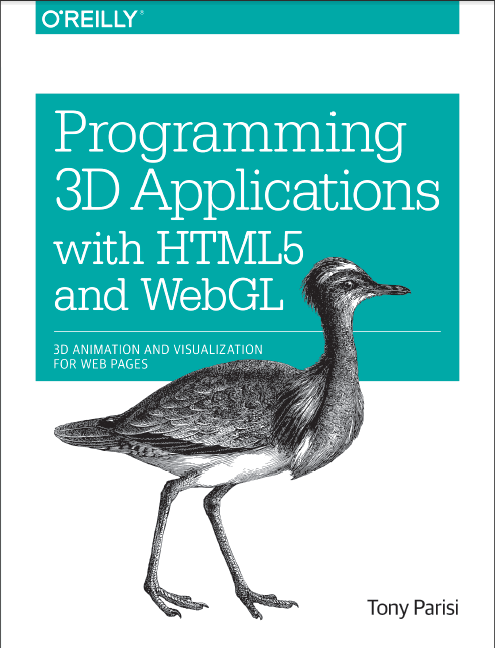
El Libro del Día: Programming 3D Applications with HTML5 and WebGL
El Libro del Día: 2014-12-29
Titulo: Programming 3D Applications with HTML5 and WebGL
Autor: Tony Parisi
Editorial: O'Reilly
Nro Paginas: 403
Capítulos:
Part I. Foundations
1. Introduction
2. WebGL: Real-Time 3D Rendering
3. Three.js - A JavaScript 3D Engine
4. Graphics and Rendering in Three.js
5. 3D Animation
6. CSS3: Advanced Page Effects
7. Canvas: Universal 2D Drawing
Part II. Application Development Techniques
8. The 3D Content Pipeline
9. 3D Engines and Frameworks
10. Developing a Simple 3D Application
11. Developing a 3D Environment
12. Developing Mobile 3D Applications
A. Resources
Descarga:
Programming_3D_Applications_HTML5_WebGL
Titulo: Programming 3D Applications with HTML5 and WebGL
Autor: Tony Parisi
Editorial: O'Reilly
Nro Paginas: 403
Capítulos:
Part I. Foundations
1. Introduction
2. WebGL: Real-Time 3D Rendering
3. Three.js - A JavaScript 3D Engine
4. Graphics and Rendering in Three.js
5. 3D Animation
6. CSS3: Advanced Page Effects
7. Canvas: Universal 2D Drawing
Part II. Application Development Techniques
8. The 3D Content Pipeline
9. 3D Engines and Frameworks
10. Developing a Simple 3D Application
11. Developing a 3D Environment
12. Developing Mobile 3D Applications
A. Resources
Descarga:
Programming_3D_Applications_HTML5_WebGL
Etiquetas:
3D,
Animation,
Canvas,
Content,
CSS3,
Engines,
Foundations,
Frameworks,
Graphics,
HTML5,
Introduction,
Javascript,
Libros,
Mobile,
O'Reilly,
Real-time,
Rendering,
Three.js,
Tony Parisi,
WebGL
sábado, 22 de noviembre de 2014
El Libro del Día: Hello! HTML5 & CSS3
El Libro del Día: 2014-11-22
Titulo: Hello! HTML5 & CSS3
Autor: Rob Crowther
Editorial: Manning
Nro Paginas: 561
Capítulos:
PART 1 LEARNING HTML5
1 Introducing HTML5 markup
2 HTML5 forms
3 Dynamic graphics
4 Audio and video
5 Browser-based APIs
6 Network and location APIs
PART 2 LEARNING CSS3
7 New CSS language features
8 Layout with CSS3
9 Motion and color
10 Borders and backgrounds with CSS3
11 Text and fonts
Descarga:
Hello_HTML5_CSS3
Titulo: Hello! HTML5 & CSS3
Autor: Rob Crowther
Editorial: Manning
Nro Paginas: 561
Capítulos:
PART 1 LEARNING HTML5
1 Introducing HTML5 markup
2 HTML5 forms
3 Dynamic graphics
4 Audio and video
5 Browser-based APIs
6 Network and location APIs
PART 2 LEARNING CSS3
7 New CSS language features
8 Layout with CSS3
9 Motion and color
10 Borders and backgrounds with CSS3
11 Text and fonts
Descarga:
Hello_HTML5_CSS3
viernes, 21 de noviembre de 2014
El Libro del Día: Start Here! Learn HTML5
El Libro del Día: 2014-11-21
Titulo: Start Here! Learn HTML5
Autor: Faithe Wempen
Editorial: Microsoft
Nro Paginas: 360
Capítulos:
Part I Getting Started with HTML
Chapter 1 HTML Basics: The Least You Need to Know
Chapter 2 Setting Up the Document Structure
Chapter 3 Formatting Text with Tags
Chapter 4 Using Lists and Backgrounds
Chapter 5 Creating Hyperlinks and Anchors
Part II Style Sheets and Graphics
Chapter 6 Introduction to Style Sheets
Chapter 7 Formatting Text with CSS
Chapter 8 Formatting Paragraphs with CSS
Chapter 9 Inserting Graphics
Part III Page Layout and Navigation
Chapter 10 Creating Navigational Aids
Chapter 11 Creating Division-Based Layouts
Chapter 12 Creating Tables
Chapter 13 Formatting Tables
Chapter 14 Creating User Forms
Chapter 15 Incorporating Sound and Video
Chapter 16 HTML and Microsoft Expression Web
Part IV Appendices
Appendix A Designing for Usability
Appendix B Designing for Accessibility
Appendix C Quick Reference
Descarga:
Start_Here_Learn_HTML5
Titulo: Start Here! Learn HTML5
Autor: Faithe Wempen
Editorial: Microsoft
Nro Paginas: 360
Capítulos:
Part I Getting Started with HTML
Chapter 1 HTML Basics: The Least You Need to Know
Chapter 2 Setting Up the Document Structure
Chapter 3 Formatting Text with Tags
Chapter 4 Using Lists and Backgrounds
Chapter 5 Creating Hyperlinks and Anchors
Part II Style Sheets and Graphics
Chapter 6 Introduction to Style Sheets
Chapter 7 Formatting Text with CSS
Chapter 8 Formatting Paragraphs with CSS
Chapter 9 Inserting Graphics
Part III Page Layout and Navigation
Chapter 10 Creating Navigational Aids
Chapter 11 Creating Division-Based Layouts
Chapter 12 Creating Tables
Chapter 13 Formatting Tables
Chapter 14 Creating User Forms
Chapter 15 Incorporating Sound and Video
Chapter 16 HTML and Microsoft Expression Web
Part IV Appendices
Appendix A Designing for Usability
Appendix B Designing for Accessibility
Appendix C Quick Reference
Descarga:
Start_Here_Learn_HTML5
Etiquetas:
Anchors,
Backgrounds,
CSS,
Faithe Wempen,
Forms,
Graphics,
HTML5,
Hyperlinks,
Layouts,
Libros,
Lists,
Microsoft,
Navigation,
Sound,
Structure,
Style Sheets,
Tables,
Tags,
Video
jueves, 20 de noviembre de 2014
El Libro del Día: Building Web Applications with SVG
El Libro del Día: 2014-11-20
Titulo: Building Web Applications with SVG
Autor: David Dailey, Jon Frost, Domenico Strazzullo
Editorial: Microsoft
Nro Paginas: 293
Capítulos:
Chapter 1 SVG Basics
Chapter 2 Creating and Editing SVG Graphics
Chapter 3 Adding Text, Style, and Transforms
Chapter 4 Motion and Interactivity
Chapter 5 SVG Filters
Chapter 6 SVG Tools and Resources
Chapter 7 Building a Web Application: Case Studies
Descarga:
Building_Web_Applications_with_SVG
Titulo: Building Web Applications with SVG
Autor: David Dailey, Jon Frost, Domenico Strazzullo
Editorial: Microsoft
Nro Paginas: 293
Capítulos:
Chapter 1 SVG Basics
Chapter 2 Creating and Editing SVG Graphics
Chapter 3 Adding Text, Style, and Transforms
Chapter 4 Motion and Interactivity
Chapter 5 SVG Filters
Chapter 6 SVG Tools and Resources
Chapter 7 Building a Web Application: Case Studies
Descarga:
Building_Web_Applications_with_SVG
Etiquetas:
Basics,
Case Studies,
David Dailey,
Domenico Strazzullo,
Filters,
Graphics,
HTML5,
Interactivity,
Jon Frost,
Libros,
Microsoft,
Motion,
Resources,
Style,
SVG,
Text,
Tools,
Transforms,
Web Applications
lunes, 17 de noviembre de 2014
El Libro del Día:Practical WPF Charts and Graphics
El Libro del Día: 2014-11-17
Titulo: Practical WPF Charts and Graphics
Autor: Jack Xu
Editorial: Apress
Nro Paginas: 709
Capítulos:
1. Overview of WPF Programming
2. 2D Transformations
3. WPF Graphics Basics in 2D
4. Colors and Brushes
5. 2D Line charts
6. Specialized 2D Charts
7. Stock Charts
8. Interactive 2D Charts
9. 2D Chart Controls
10. Data Interpolations
11. Curve Fitting
12. 3D Transformations
13. WPF Graphics Basics in 3D
14. 3D Charts with the WPF 3D Engine
15. 3D Charts Without the WPF 3D Engine
16. Specialized 3D Charts
Descarga:
Practical_WPF_Charts_Graphics
Titulo: Practical WPF Charts and Graphics
Autor: Jack Xu
Editorial: Apress
Nro Paginas: 709
Capítulos:
1. Overview of WPF Programming
2. 2D Transformations
3. WPF Graphics Basics in 2D
4. Colors and Brushes
5. 2D Line charts
6. Specialized 2D Charts
7. Stock Charts
8. Interactive 2D Charts
9. 2D Chart Controls
10. Data Interpolations
11. Curve Fitting
12. 3D Transformations
13. WPF Graphics Basics in 3D
14. 3D Charts with the WPF 3D Engine
15. 3D Charts Without the WPF 3D Engine
16. Specialized 3D Charts
Descarga:
Practical_WPF_Charts_Graphics
Etiquetas:
2D,
3D,
3D Charts,
3D Engine,
Apress,
Brushes,
Charts,
Colors,
Controls,
Curve,
Graphics,
Interactive,
Interpolations,
Jack Xu,
Libros,
Lines,
Specialized,
Stock,
Transformations,
WPF
Suscribirse a:
Entradas (Atom)