El Libro del Día: 2014-12-04
Titulo: Pro T-SQL 2012 Programmer's Guide
Autor: Jay Natarajan, Scott Shaw, Rudi Bruchez, Michael Coles
Editorial: Apress
Nro Paginas: 679
Capítulos:
Chapter 1: Foundations of T-SQL
Chapter 2: Tools of the Trade
Chapter 3: Procedural Code and CASE Expressions
Chapter 4: User-Defined Functions
Chapter 5: Stored Procedures
Chapter 6: Triggers
Chapter 7: Encryption
Chapter 8: Common Table Expressions and Windowing Functions
Chapter 9: Data Types and Advanced Data Types
Chapter 10: Full-Text Search
Chapter 11: XML
Chapter 12: XQuery and XPath
Chapter 13: Catalog Views and Dynamic Management Views
Chapter 14: CLR Integration Programming
Chapter 15: .NET Client Programming
Chapter 16: Data Services
Chapter 17: Error Handling and Dynamic SQL
Chapter 18: Performance Tuning
Appendix A: Exercise Answers
Appendix B: XQuery Data Types
Appendix C: Glossary
Appendix D: SQLCMD Quick Reference
Descarga:
Pro_TSQL_2012_Programmer's_Guide
Blog de Luis Dueñas dedicado a la difusión del Desarrollo en Microsoft .NET, Visual Studio, WinForms, WebForms, MVC, ASP .NET, jQuery, AJAX, HTML5, JavaScript, Móviles, etc. Encontrarás Libros, Demos, Artículos Técnicos, Entrenamiento.
jueves, 4 de diciembre de 2014
El Libro del Día: Pro T-SQL 2012 Programmer's Guide
Etiquetas:
Apress,
CASE,
CLR,
Data Types,
Dynamic SQL,
Encryption,
Functions,
Jay Natarajan,
Libros,
Michael Coles,
Rudi Bruchez,
Scott Shaw,
Search,
SQL Server 2012,
Stored Procedures,
T-SQL,
Tools,
Triggers,
Views,
XML
miércoles, 3 de diciembre de 2014
El Libro del Día: Microsoft SQL Server 2012 T-SQL Fundamentals
El Libro del Día: 2014-12-03
Titulo: Microsoft SQL Server 2012 T-SQL Fundamentals
Autor: Itzik Ben-Gan
Editorial: Microsoft
Nro Paginas: 442
Capítulos:
Chapter 1 Background to T-SQL Querying and Programming
Chapter 2 Single-Table Queries
Chapter 3 Joins
Chapter 4 Subqueries
Chapter 5 Table Expressions
Chapter 6 Set Operators
Chapter 7 Beyond the Fundamentals of Querying
Chapter 8 Data Modification
Chapter 9 Transactions and Concurrency
Chapter 10 Programmable Objects
Descarga:
Microsoft_SQL_Server_2012_TSQL_Fundamentals
Titulo: Microsoft SQL Server 2012 T-SQL Fundamentals
Autor: Itzik Ben-Gan
Editorial: Microsoft
Nro Paginas: 442
Capítulos:
Chapter 1 Background to T-SQL Querying and Programming
Chapter 2 Single-Table Queries
Chapter 3 Joins
Chapter 4 Subqueries
Chapter 5 Table Expressions
Chapter 6 Set Operators
Chapter 7 Beyond the Fundamentals of Querying
Chapter 8 Data Modification
Chapter 9 Transactions and Concurrency
Chapter 10 Programmable Objects
Descarga:
Microsoft_SQL_Server_2012_TSQL_Fundamentals
Etiquetas:
Concurrency,
Expressions,
Fundamentals,
Itzik Ben-Gan,
Joins,
Libros,
Microsoft,
Modifications,
Objects,
Operators,
Programming,
Querying,
SQL Server 2012,
Subqueries,
T-SQL,
Tables,
Transactions
martes, 2 de diciembre de 2014
El Libro del Día: Beginning T-SQL 2012
El Libro del Día: 2014-12-02
Titulo: Beginning T-SQL 2012
Autor: Scott Shaw, Kathi Kellenberger
Editorial: Apress
Nro Paginas: 449
Capítulos:
Chapter 1: Getting Started
Chapter 2: Writing Simple SELECT Queries
Chapter 3: Using Functions and Expressions
Chapter 4: Querying Multiple Tables
Chapter 5: Grouping and Summarizing Data
Chapter 6: Manipulating Data
Chapter 7: Understanding T-SQL Programming Logic
Chapter 8: Working with XML
Chapter 9: Moving Logic to the Database
Chapter 10: Working with Data Types
Chapter 11: Writing Advanced Queries
Chapter 12: Where to Go Next
Descarga:
Beginning_TSQL_2012
Titulo: Beginning T-SQL 2012
Autor: Scott Shaw, Kathi Kellenberger
Editorial: Apress
Nro Paginas: 449
Capítulos:
Chapter 1: Getting Started
Chapter 2: Writing Simple SELECT Queries
Chapter 3: Using Functions and Expressions
Chapter 4: Querying Multiple Tables
Chapter 5: Grouping and Summarizing Data
Chapter 6: Manipulating Data
Chapter 7: Understanding T-SQL Programming Logic
Chapter 8: Working with XML
Chapter 9: Moving Logic to the Database
Chapter 10: Working with Data Types
Chapter 11: Writing Advanced Queries
Chapter 12: Where to Go Next
Descarga:
Beginning_TSQL_2012
Etiquetas:
Advanced Queries,
Apress,
Data Types,
Expressions,
Functions,
Grouping,
Kathi Kellenberger,
Libros,
Manipulating,
Programming,
Queries,
Scott Shaw,
Select,
SQL Server 2012,
Summarizing,
T-SQL,
Tables,
XML
lunes, 1 de diciembre de 2014
El Libro del Día: Beginning SQL Server 2012 for Developers
El Libro del Día: 2014-12-01
Titulo: Beginning SQL Server 2012 for Developers
Autor: Robin Dewson
Editorial: Apress
Nro Paginas: 714
Capítulos:
Chapter 1: Overview and Installation
Chapter 2: SQL Server Management Studio
Chapter 3: Database Design and Creation
Chapter 4: Security and Compliance
Chapter 5: Defining Tables
Chapter 6: Creating Indexes and Database Diagramming
Chapter 7: Database Backups and Recovery
Chapter 8: Database Maintenance
Chapter 9: Data Insertion, Deletion, and Transactions
Chapter 10: Selecting and Updating Data
Chapter 11: Building a View
Chapter 12: Stored Procedures, Functions, and Security
Chapter 13: Essentials for Effective Coding
Chapter 14: Advanced T-SQL and Debugging
Chapter 15: Triggers
Chapter 16: Connecting via Code
Descarga:
Beginning_SQL_Server_2012_For_Developers
Titulo: Beginning SQL Server 2012 for Developers
Autor: Robin Dewson
Editorial: Apress
Nro Paginas: 714
Capítulos:
Chapter 1: Overview and Installation
Chapter 2: SQL Server Management Studio
Chapter 3: Database Design and Creation
Chapter 4: Security and Compliance
Chapter 5: Defining Tables
Chapter 6: Creating Indexes and Database Diagramming
Chapter 7: Database Backups and Recovery
Chapter 8: Database Maintenance
Chapter 9: Data Insertion, Deletion, and Transactions
Chapter 10: Selecting and Updating Data
Chapter 11: Building a View
Chapter 12: Stored Procedures, Functions, and Security
Chapter 13: Essentials for Effective Coding
Chapter 14: Advanced T-SQL and Debugging
Chapter 15: Triggers
Chapter 16: Connecting via Code
Descarga:
Beginning_SQL_Server_2012_For_Developers
Etiquetas:
Apress,
Backups,
Creation,
Debugging,
Design,
Functions,
Installation,
Libros,
Maintenance,
Recovery,
Robin Dewson,
Security,
SPs,
SQL Server 2012,
T-SQL,
Tables,
Transactions,
Triggers,
Views
domingo, 30 de noviembre de 2014
El Libro del Día: Microsoft Sharepoint 2013 Developer Reference
El Libro del Día: 2014-11-30
Titulo: Microsoft Sharepoint 2013 Developer Reference
Autor: Paolo Pialorsi
Editorial: Microsoft
Nro Paginas: 794
Capítulos:
Part I GETTING STARTED
Chapter 1 Microsoft SharePoint 2013: A quick tour
Chapter 2 SharePoint data fundamentals
Part II DEVELOPING SHAREPOINT SOLUTIONS
Chapter 3 Data provisioning
Chapter 4 SharePoint features and solutions
Chapter 5 Server Object Model
Chapter 6 LINQ to SharePoint
Chapter 7 Client-side technologies
Part III DEVELOPING SHAREPOINT APPS
Chapter 8 SharePoint apps
Chapter 9 The new SharePoint REST API
Chapter 10 Remote event receivers
Part IV EXTENDING SHAREPOINT
Chapter 11 Developing Web Parts
Chapter 12 Customizing the UI
Chapter 13 Web templates
Chapter 14 Business Connectivity Services
Part V DEVELOPING WORKFLOWS
Chapter 15 Windows Workflow Foundation
Chapter 16 SharePoint workflow fundamentals
Chapter 17 Developing workflows
Chapter 18 Advanced workflows
Descarga:
Microsoft_Sharepoint_2013_Developer_Reference
Titulo: Microsoft Sharepoint 2013 Developer Reference
Autor: Paolo Pialorsi
Editorial: Microsoft
Nro Paginas: 794
Capítulos:
Part I GETTING STARTED
Chapter 1 Microsoft SharePoint 2013: A quick tour
Chapter 2 SharePoint data fundamentals
Part II DEVELOPING SHAREPOINT SOLUTIONS
Chapter 3 Data provisioning
Chapter 4 SharePoint features and solutions
Chapter 5 Server Object Model
Chapter 6 LINQ to SharePoint
Chapter 7 Client-side technologies
Part III DEVELOPING SHAREPOINT APPS
Chapter 8 SharePoint apps
Chapter 9 The new SharePoint REST API
Chapter 10 Remote event receivers
Part IV EXTENDING SHAREPOINT
Chapter 11 Developing Web Parts
Chapter 12 Customizing the UI
Chapter 13 Web templates
Chapter 14 Business Connectivity Services
Part V DEVELOPING WORKFLOWS
Chapter 15 Windows Workflow Foundation
Chapter 16 SharePoint workflow fundamentals
Chapter 17 Developing workflows
Chapter 18 Advanced workflows
Descarga:
Microsoft_Sharepoint_2013_Developer_Reference
Etiquetas:
Advanced,
Business Connectivity,
Client Side,
Developing,
Libros,
LINQ,
Microsoft,
Paolo Pialorsi,
Reference,
Remore Events,
REST API,
Services,
SharePoint,
SOM,
Web Parts,
Web Templates,
Workflow
sábado, 29 de noviembre de 2014
El Libro del Día: Microsoft Sharepoint 2013 App Development
El Libro del Día: 2014-11-29
Titulo: Microsoft Sharepoint 2013 App Development
Autor: Scot Hillier, Ted Pattison
Editorial: Microsoft
Nro Paginas: 204
Capítulos:
Chapter 1 Introducing SharePoint apps
Chapter 2 Client-side programming
Chapter 3 SharePoint app security
Chapter 4 Developing SharePoint apps
Descarga:
Microsoft_Sharepoint_2013_App_Development
Titulo: Microsoft Sharepoint 2013 App Development
Autor: Scot Hillier, Ted Pattison
Editorial: Microsoft
Nro Paginas: 204
Capítulos:
Chapter 1 Introducing SharePoint apps
Chapter 2 Client-side programming
Chapter 3 SharePoint app security
Chapter 4 Developing SharePoint apps
Descarga:
Microsoft_Sharepoint_2013_App_Development
viernes, 28 de noviembre de 2014
El Demo del Día: Preview de Imágenes en un TreeView de Directorios en WebForms
Preview de Imágenes en un TreeView de Directorios en WebForms
En este breve post veremos como mostrar los directorios de una cierta carpeta de la Aplicación Web, por ejemplo de las Imágenes. Para esto usaremos el control TreeView para mostrar jerárquicamente los directorios y el control Repeater para listar los archivos y ver las imágenes del directorio seleccionado.
Crear la Aplicación Web en ASP .NET Web Form
Crear un "Nuevo Sitio web vacío de ASP .NET" en C# llamado "TreeViewDirectorios_PreviewImagenes". Crear la siguiente estructura de carpetas en el proyecto:
- Estilos: Contiene el archivo de hoja de estilo ACME.css
- Imagenes: Contiene las carpetas Empleados y Productos
- Empleados: Contiene archivos de los empleados del 01.jpg al 08..jpg
- Productos: Contiene las siguientes carpetas
- Bebidas: Contiene archivos jpg con bebidas.
- Condimentos: Contiene archivos jpg con condimentos.
- Confecciones: Contiene archivos jpg con confecciones.
- Paginas: Contiene el formulario web VisorImagenes.aspx
Crear el Archivo de Hoja de Estilo
En la carpeta "Estilos" agregar un archivo de hoja de estilo llamado "ACME.css" y escribir lo siguiente:
Crear la Pagina como Formulario WebForm
En la carpeta "Paginas" agregar un formulario WebForm llamado: "VisorImagenes.aspx" y escribir lo siguiente:
<%@ Page Language="C#" AutoEventWireup="true" CodeBehind="VisorImagenes.aspx.cs" Inherits="TreeViewDirectorios_PreviewImagenes.Paginas.VisorImagenes" %>
<!DOCTYPE html>
<html xmlns="http://www.w3.org/1999/xhtml">
<head runat="server">
<meta http-equiv="Content-Type" content="text/html; charset=utf-8"/>
<title></title>
<link href="../Estilos/ACME.css" rel="stylesheet" type="text/css" />
</head>
<body>
<form id="form1" runat="server">
<div>
<table>
<tr class="Titulo">
<td colspan="2">Preview de Imagenes en un TreeView de Directorios</td>
</tr>
<tr class="Subtitulo">
<td colspan="2">Creado Por: Luis Duenas</td>
</tr>
<tr>
<td style="vertical-align:top">
<asp:TreeView ID="tvwDirectorio" runat="server"
OnSelectedNodeChanged="mostrarImagenesDirectorio"/>
</td>
<td>
<asp:Repeater ID="rptImagen" EnableViewState="false" runat="server">
<ItemTemplate>
<img src="<%#obtenerUrl(Container.DataItem.ToString())%>"
title="<%#obtenerNombre(Container.DataItem.ToString())%>"
class="Imagen" alt="" />
</ItemTemplate>
</asp:Repeater>
</td>
</tr>
</table>
</div>
</form>
</body>
</html>
En este breve post veremos como mostrar los directorios de una cierta carpeta de la Aplicación Web, por ejemplo de las Imágenes. Para esto usaremos el control TreeView para mostrar jerárquicamente los directorios y el control Repeater para listar los archivos y ver las imágenes del directorio seleccionado.
Crear la Aplicación Web en ASP .NET Web Form
Crear un "Nuevo Sitio web vacío de ASP .NET" en C# llamado "TreeViewDirectorios_PreviewImagenes". Crear la siguiente estructura de carpetas en el proyecto:
- Estilos: Contiene el archivo de hoja de estilo ACME.css
- Imagenes: Contiene las carpetas Empleados y Productos
- Empleados: Contiene archivos de los empleados del 01.jpg al 08..jpg
- Productos: Contiene las siguientes carpetas
- Bebidas: Contiene archivos jpg con bebidas.
- Condimentos: Contiene archivos jpg con condimentos.
- Confecciones: Contiene archivos jpg con confecciones.
- Paginas: Contiene el formulario web VisorImagenes.aspx
Crear el Archivo de Hoja de Estilo
En la carpeta "Estilos" agregar un archivo de hoja de estilo llamado "ACME.css" y escribir lo siguiente:
body {
background-color:lightgray;
}
.Titulo {
background-color:black;
color:white;
text-transform:uppercase;
font-size:xx-large;
font-weight:bold;
}
.Subtitulo {
background-color:white;
color:black;
text-transform:capitalize;
font-size:x-large;
font-weight:bold;
}
.Imagen {
width:120px;
height:100px;
border:solid;
border-width:20px;
border-color:lightgray;
}
.Imagen:hover {
cursor:pointer;
border:solid;
border-width:20px;
border-color:yellow;
}
Crear la Pagina como Formulario WebForm
En la carpeta "Paginas" agregar un formulario WebForm llamado: "VisorImagenes.aspx" y escribir lo siguiente:
<%@ Page Language="C#" AutoEventWireup="true" CodeBehind="VisorImagenes.aspx.cs" Inherits="TreeViewDirectorios_PreviewImagenes.Paginas.VisorImagenes" %>
<!DOCTYPE html>
<html xmlns="http://www.w3.org/1999/xhtml">
<head runat="server">
<meta http-equiv="Content-Type" content="text/html; charset=utf-8"/>
<title></title>
<link href="../Estilos/ACME.css" rel="stylesheet" type="text/css" />
</head>
<body>
<form id="form1" runat="server">
<div>
<table>
<tr class="Titulo">
<td colspan="2">Preview de Imagenes en un TreeView de Directorios</td>
</tr>
<tr class="Subtitulo">
<td colspan="2">Creado Por: Luis Duenas</td>
</tr>
<tr>
<td style="vertical-align:top">
<asp:TreeView ID="tvwDirectorio" runat="server"
OnSelectedNodeChanged="mostrarImagenesDirectorio"/>
</td>
<td>
<asp:Repeater ID="rptImagen" EnableViewState="false" runat="server">
<ItemTemplate>
<img src="<%#obtenerUrl(Container.DataItem.ToString())%>"
title="<%#obtenerNombre(Container.DataItem.ToString())%>"
class="Imagen" alt="" />
</ItemTemplate>
</asp:Repeater>
</td>
</tr>
</table>
</div>
</form>
</body>
</html>
Nota: Es importante que se desactive el ViewState del Repeater para dismunir el HTML generado en el cliente, ya que no es necesario, porque en el servidor se esta enlazando el control Repeater cada vez que se elige un directorio (optmización del HTML enviado al cliente).
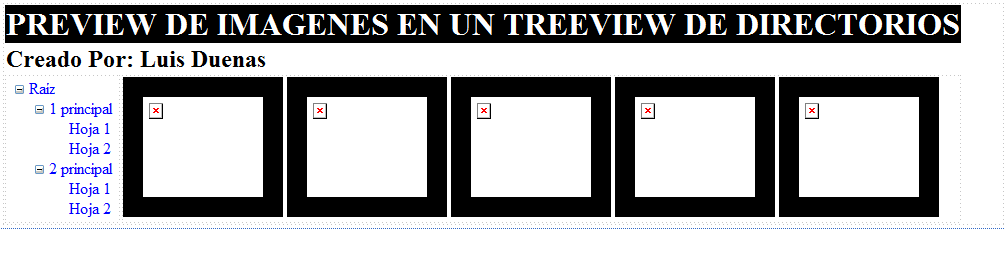
El diseño de la pagina debe mostrase similar a la siguiente figura:
Escribir el siguiente código C# para la pagina:
using System;
using System.Drawing;
using System.Collections.Generic;
using System.Linq;
using System.Web;
using System.Web.UI;
using System.Web.UI.WebControls;
using System.IO;
namespace TreeViewDirectorios_PreviewImagenes.Paginas
{
public partial class VisorImagenes : System.Web.UI.Page
{
protected void Page_Load(object sender, EventArgs e)
{
if (!Page.IsPostBack)
{
string ruta = Server.MapPath("../Imagenes");
IEnumerable<string> listaDirectorios = Directory.EnumerateDirectories(ruta);
TreeNode nodoRaiz = new TreeNode("Imagenes");
tvwDirectorio.Nodes.Add(nodoRaiz);
llenarNodos(nodoRaiz, listaDirectorios);
tvwDirectorio.ExpandAll();
tvwDirectorio.SelectedNodeStyle.BackColor = Color.Yellow;
tvwDirectorio.SelectedNodeStyle.ForeColor = Color.Red;
}
}
private void llenarNodos(TreeNode nodoPadre, IEnumerable<string> listaDirectorios)
{
foreach(string directorio in listaDirectorios)
{
TreeNode nodo = new TreeNode(Path.GetFileName(directorio));
nodoPadre.ChildNodes.Add(nodo);
IEnumerable<string> lista =
Directory.EnumerateDirectories(Path.Combine(Server.MapPath("../"),
nodo.ValuePath));
if(lista.Count() > 0) llenarNodos(nodo, lista);
}
}
protected void mostrarImagenesDirectorio(object sender, EventArgs e)
{
string directorio = Path.Combine(Server.MapPath("../"),
tvwDirectorio.SelectedNode.ValuePath.Replace(@"/", @"\"));
IEnumerable<string> archivos = Directory.EnumerateFiles(directorio, "*.jpg");
rptImagen.DataSource = archivos;
rptImagen.DataBind();
}
protected string obtenerUrl(string archivo)
{
return String.Format("../{0}/{1}",
tvwDirectorio.SelectedNode.ValuePath,Path.GetFileName(archivo));
}
protected string obtenerNombre(string archivo)
{
return Path.GetFileName(archivo);
}
}
}
Nota: Para leer directorios estamos usando Directory.EnumerateDirectories y para leer archivos estamos usando Directory.EnumerateFiles que es la forma mas eficiente de leer en .NET ya que solo crea un registro a la vez (consume menos memoria y es mas rápido).
Además se usa una función recursiva para llenar el TreeView con los directorios llamada "llenarNodos" que usa la propiedad ValuePath que obtiene la ruta del nodo actual.
También se definen 2 métodos protegidos: "obtenerUrl" y "obtenerNombre" que se usan en el HTML del Repeater.
Probar la Pagina Web
Guardar el Sitio Web, clic derecho a la Pagina "VisorImagenes.aspx" y seleccionar "Ver en el explorador". Se mostrará una ventana similar a la siguiente figura:
Observar como se muestra todas lar carpetas creadas dentro de la carpeta "Imagenes" en el TreeView, ahora seleccionar un directorio, por ejemplo "Empleados" y se mostrará las imágenes que esta contiene, similar a la siguiente figura:
Notar que al poner el mouse sobre una imagen se muestra como tooltip el nombre del archivo de imagen.
Ahora seleccionar otro directorio, por ejemplo "Bebidas" y disminuir el ancho del navegador (como si fuera una Tabla) y se muestra menos columnas pero el Diseño Web es Adaptativo (Responsive Web Design), tal como se ve en la siguiente figura:
Para finalizar, seleccionar otro directorio, por ejemplo "Condimentos" y disminuir aún mas el ancho del navegador (como si fuera un Teléfono Celular) y nuevamente el diseño se adapta mostrando una sola columna, tal como se ve en la siguiente figura:
Comentario Final
En este pequeño demo, hemos visto como llenar un TreeView en WebForms con los directorios de una cierta carpeta usando una función recursiva, además de como hacer el preview de su contenido usando un control Repeater y Plantillas de Datos con código incrustado en el servidor (las 2 funciones obtener). Además para mejorar la apariencia se hace usado hojas de estilo (CSS).
A los visitantes del Blog que no han sido alumnos míos y que a veces tienen pedidos que se hacen en clases en el programa PECI .NET o Web Developer, no es mi intención repetir lo que se ve en clases, sino, publicaríamos un Demo diario y el tiempo no me alcanzaría.
Saludos a todos y recuerden la frase: "Somos lo que pensamos de nosotros mismos".
Descarga
Etiquetas:
ASP.NET,
C#,
CSS,
Data Templates,
Demos,
Directory,
Enumerate,
Estilos,
Imágenes,
Jerarquía,
Lduenas,
Path,
Recursividad,
Repeater,
Responsive Web Design,
TreeNode,
TreeView,
ValuePath,
ViewState,
WebForms
Suscribirse a:
Entradas (Atom)